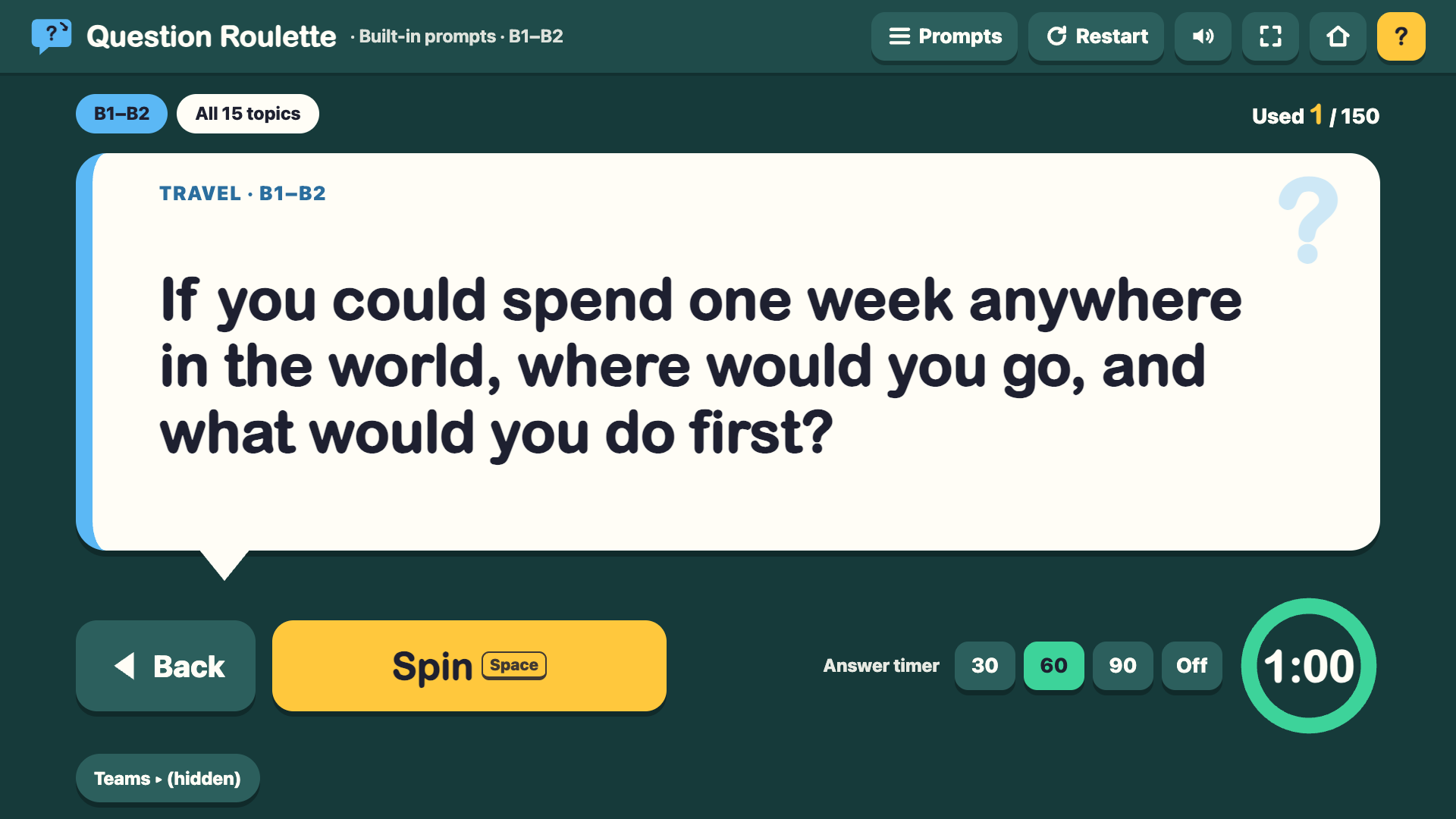
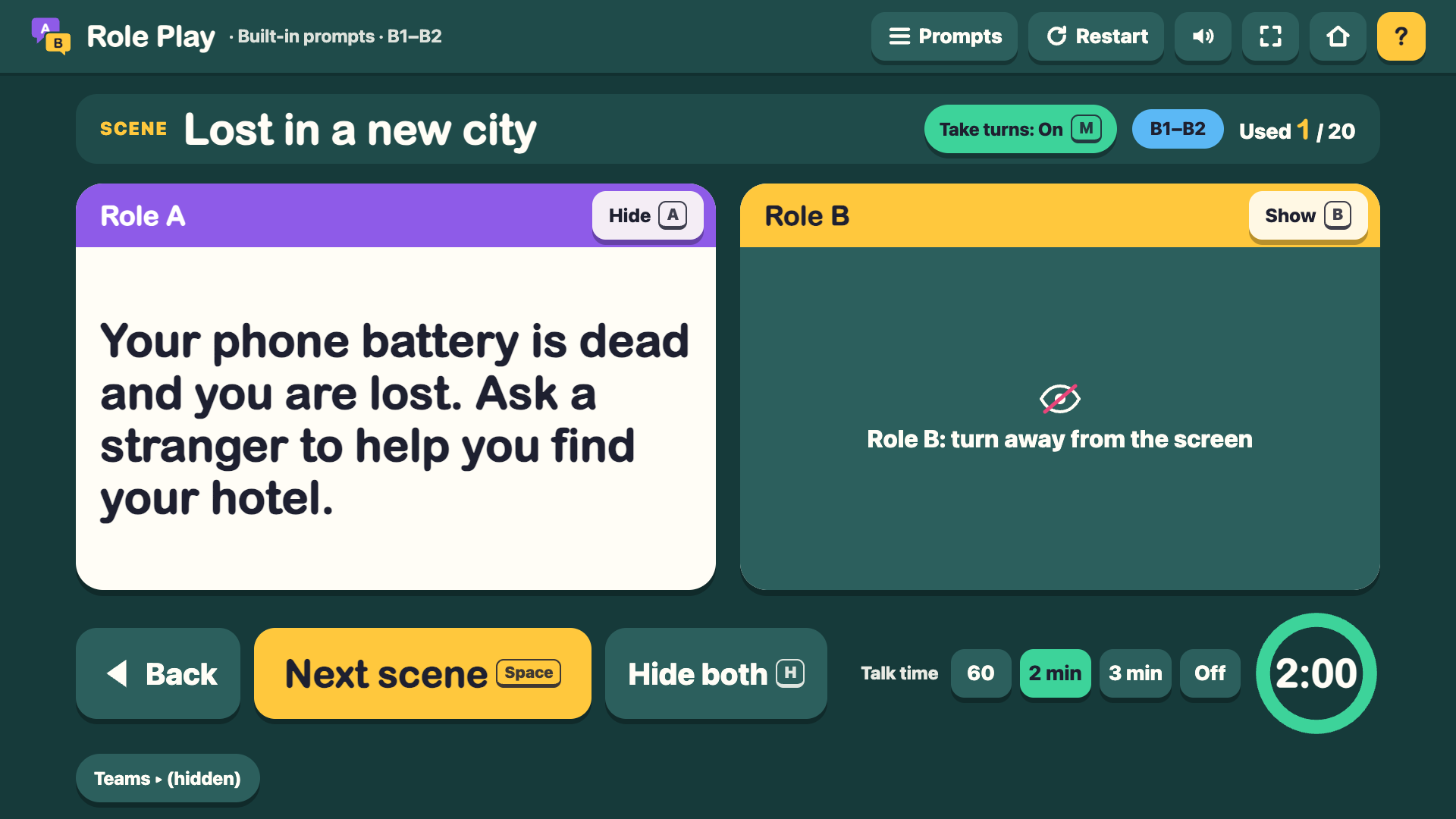
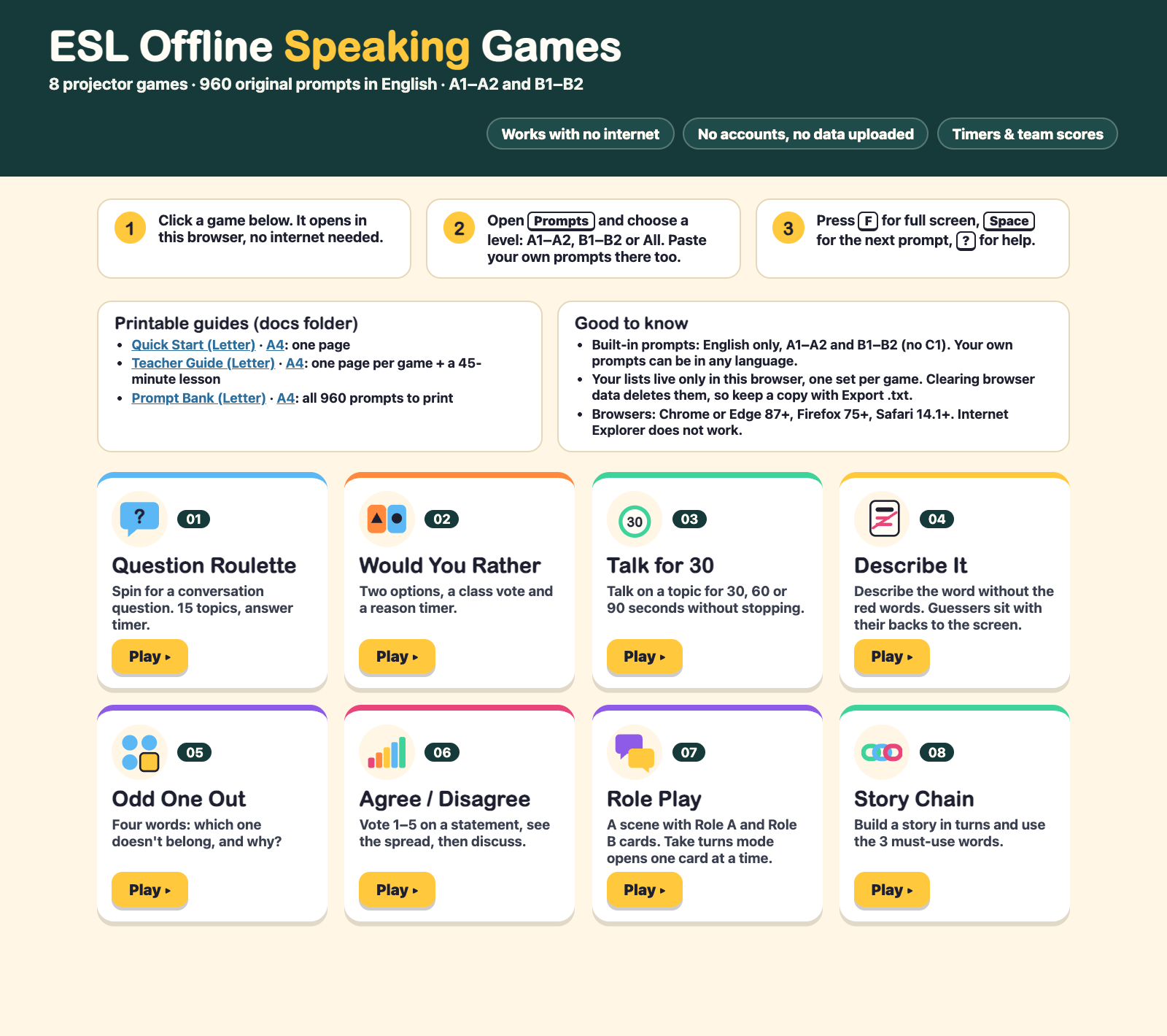
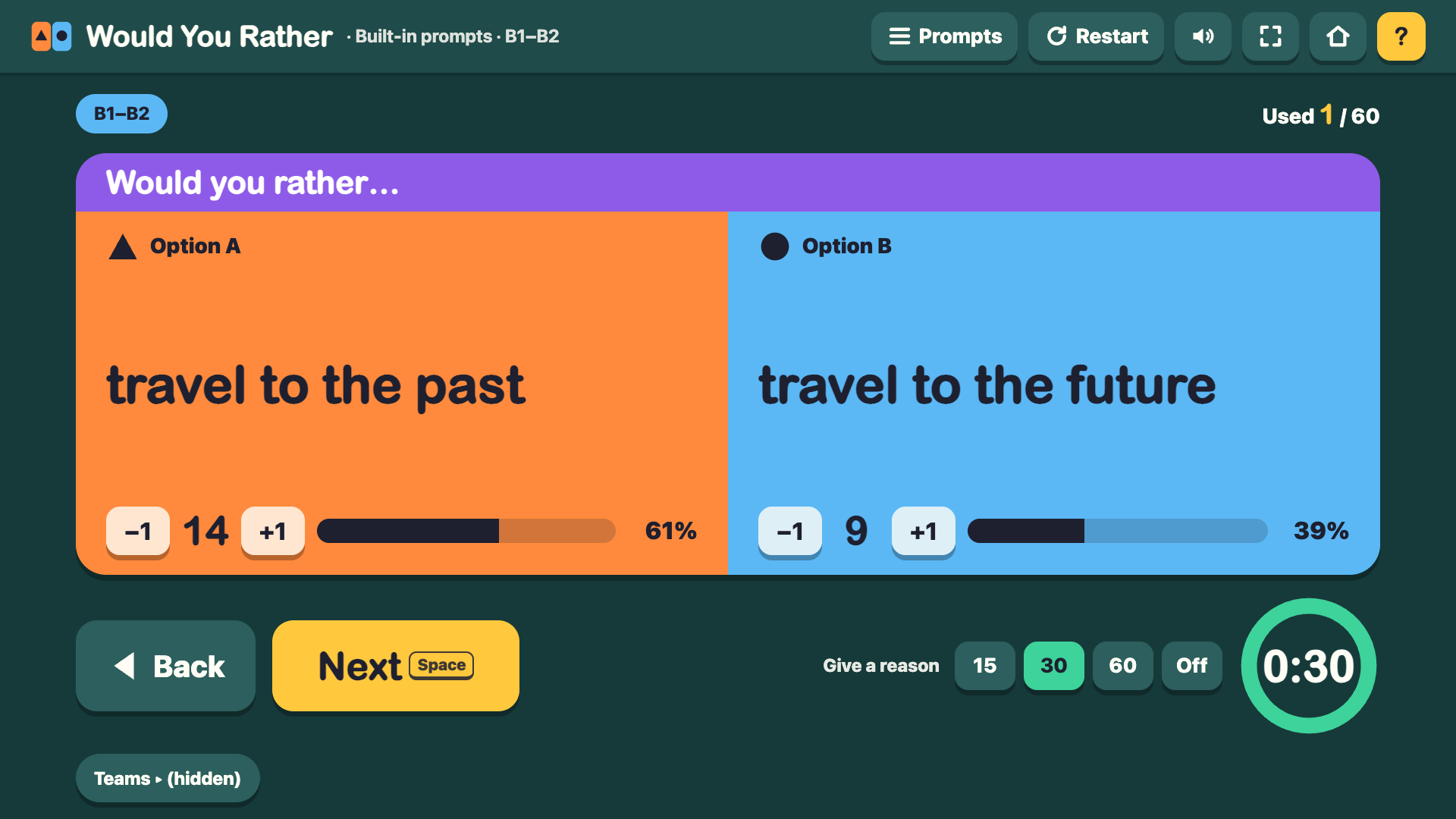
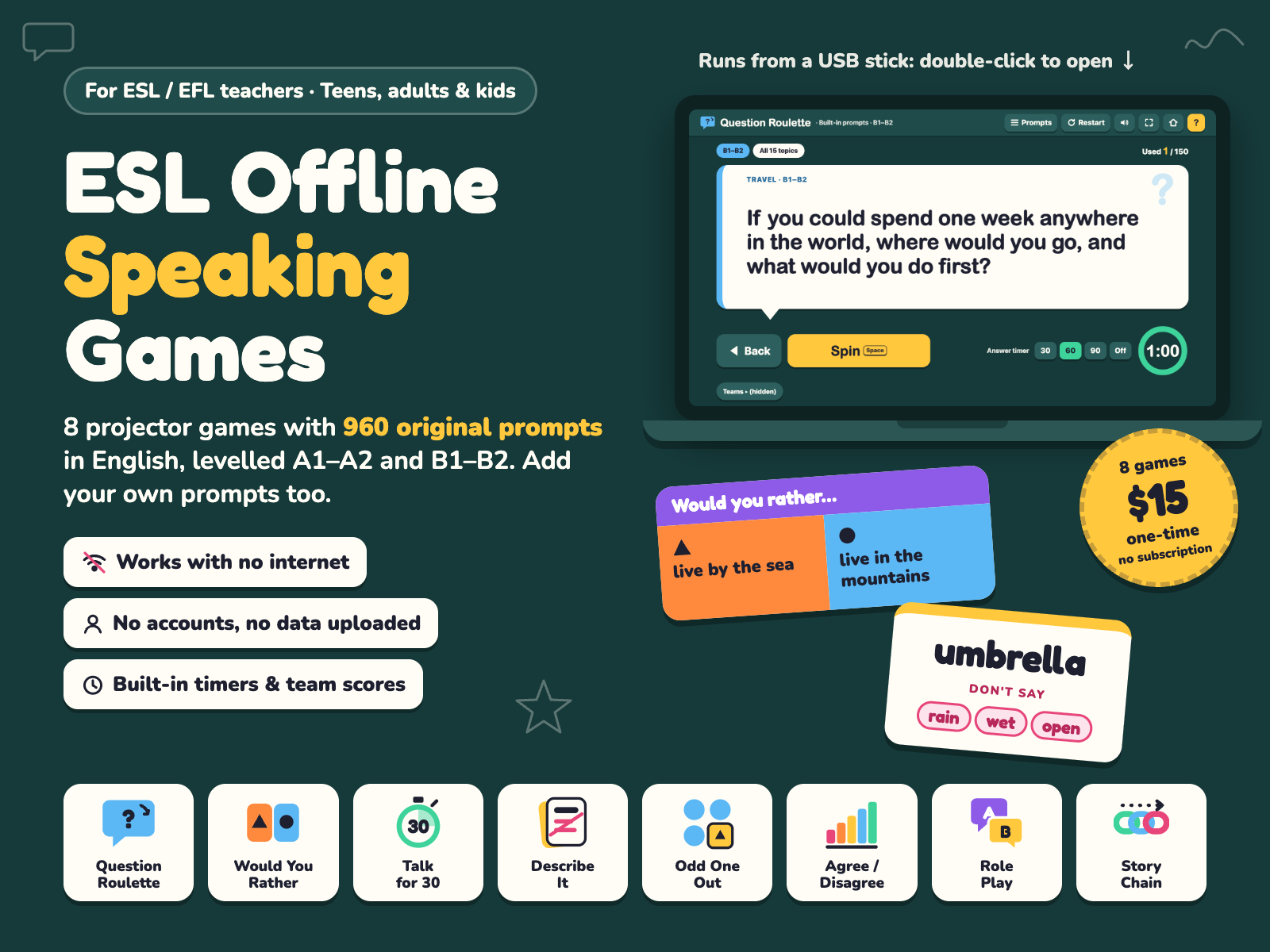
8 projector speaking games with 960 original English prompts (A1–A2 and B1–B2). Double-click and play: no internet, no accounts, $15 one-time.
$15.00 USD, one-time. No subscription.
Buy now: $15 Download the free sampleWi-Fi off, a live check that the HTML files make 0 internet requests, then START-HERE, Role Play in Take turns mode, Odd One Out with Reveal and Story Chain.
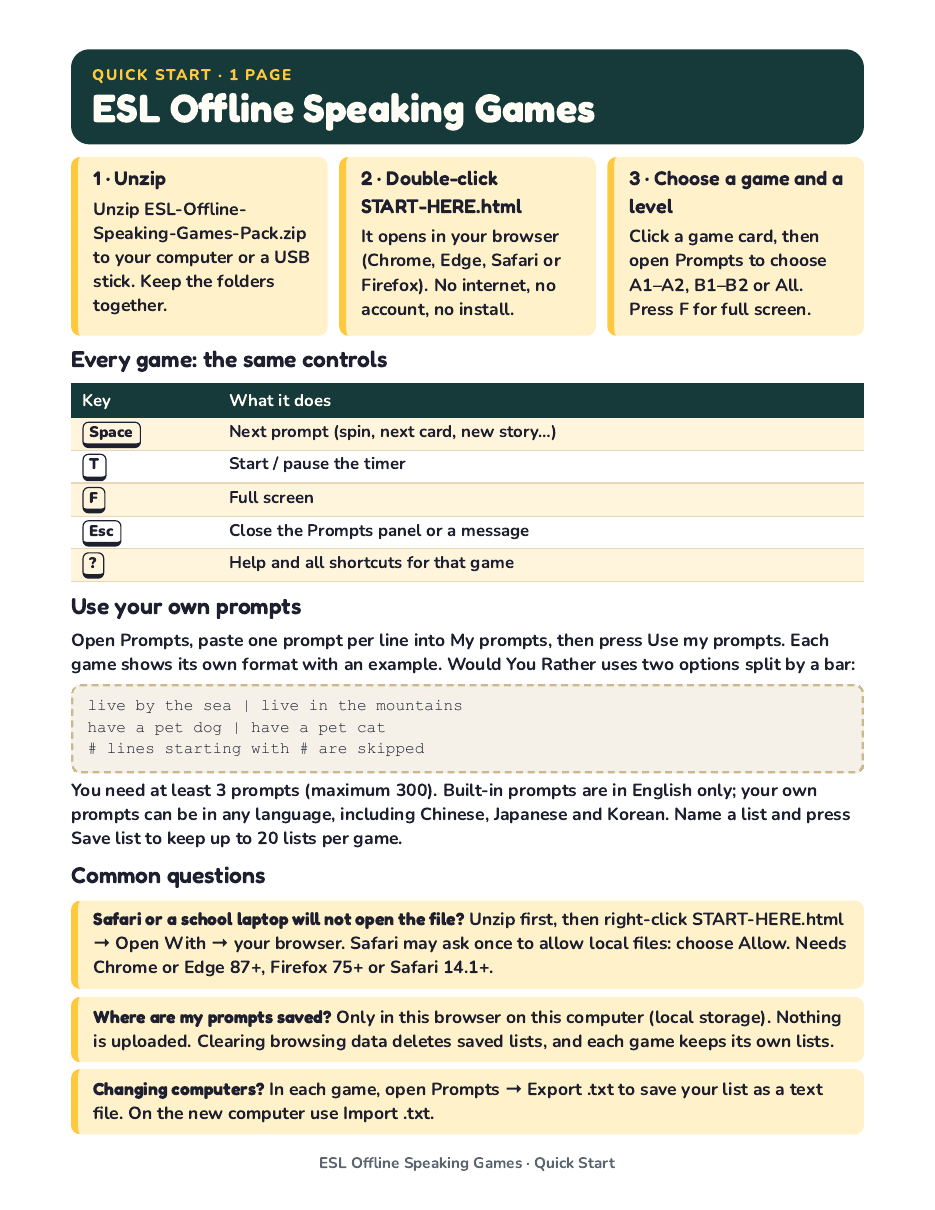
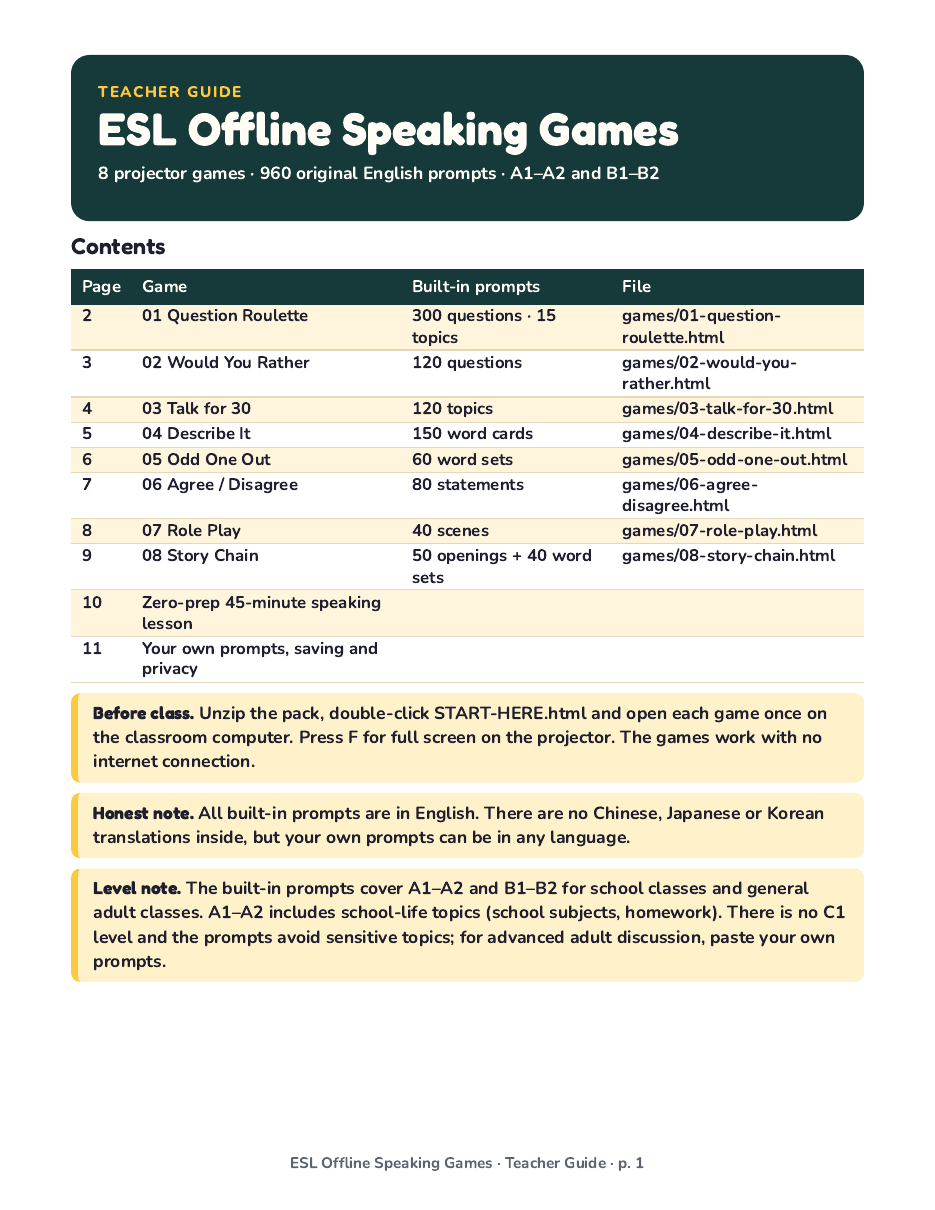
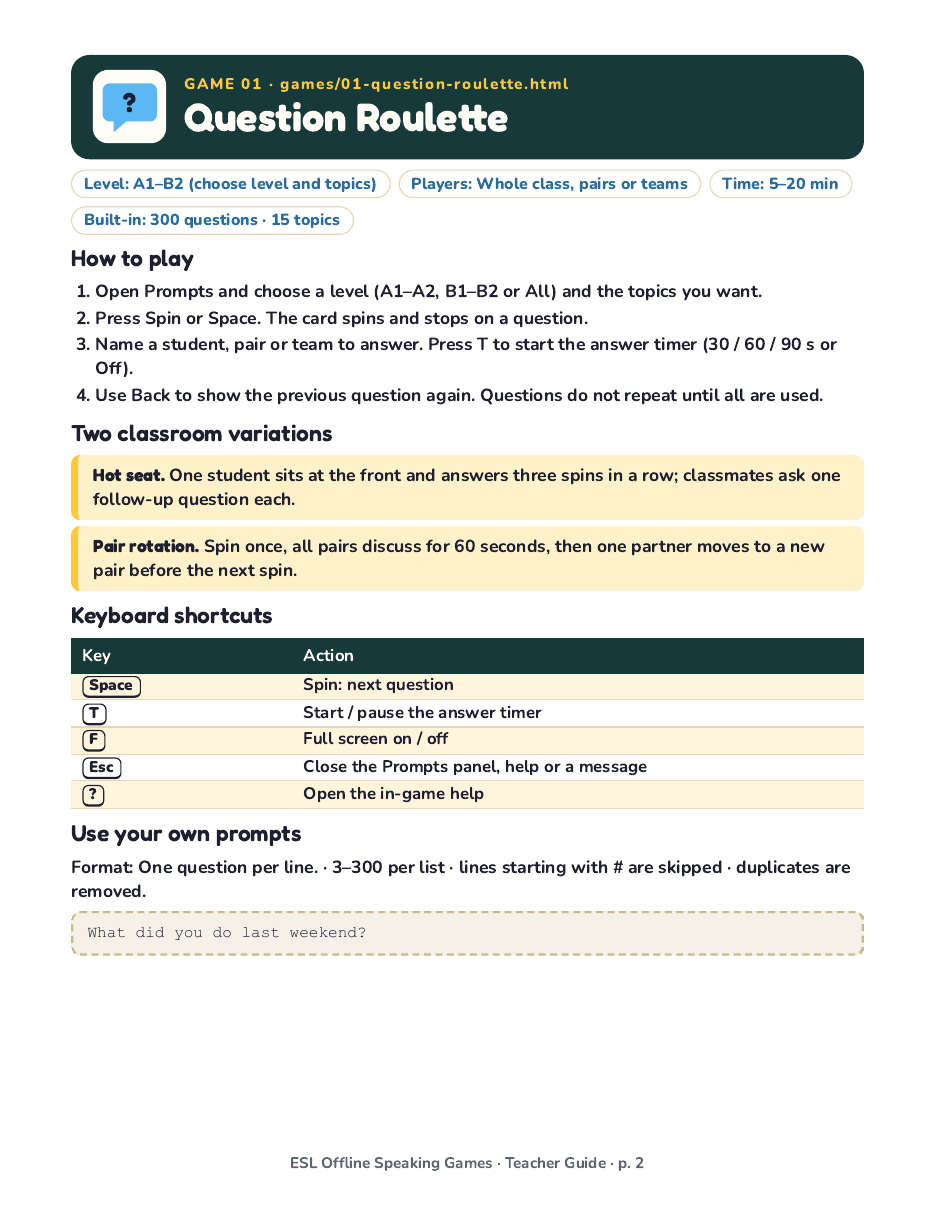
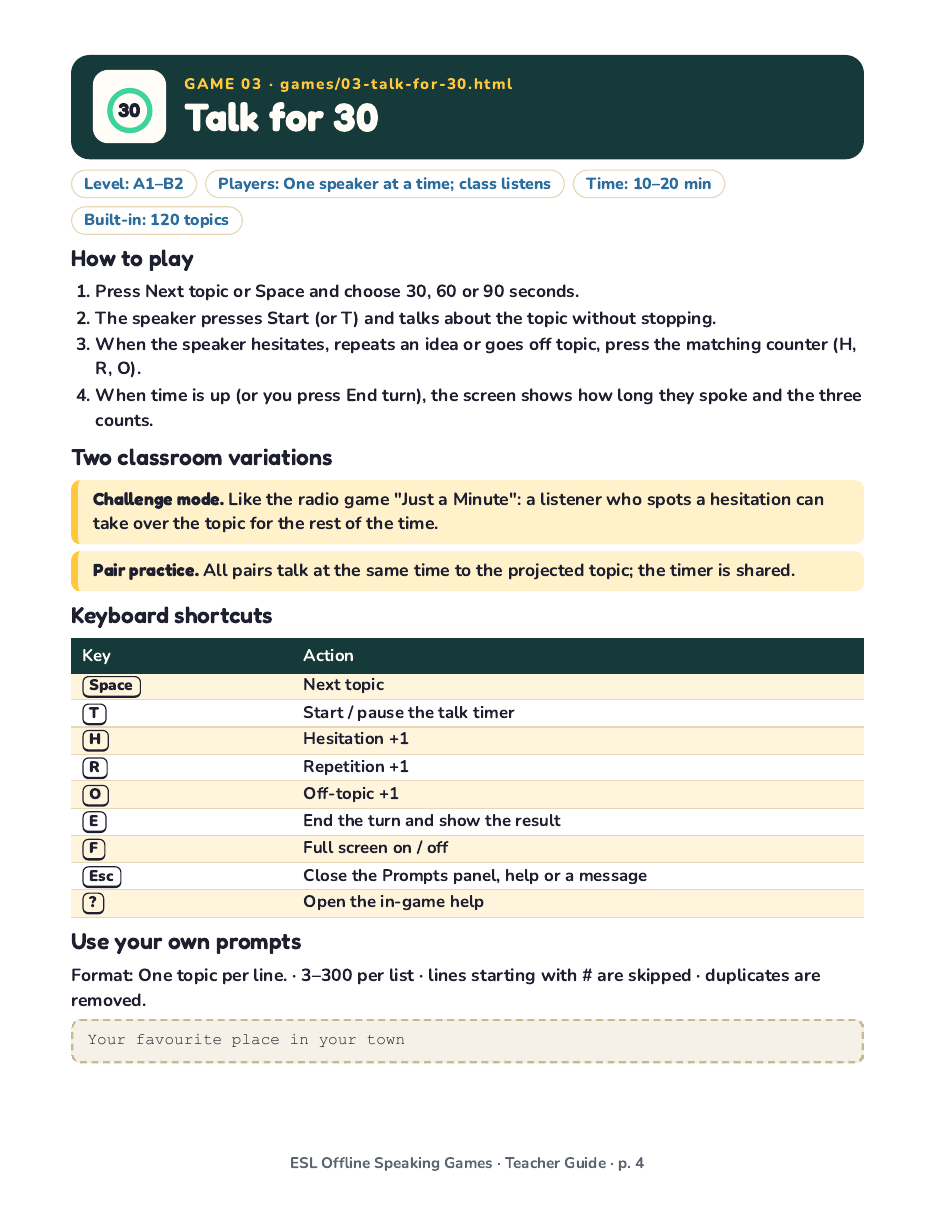
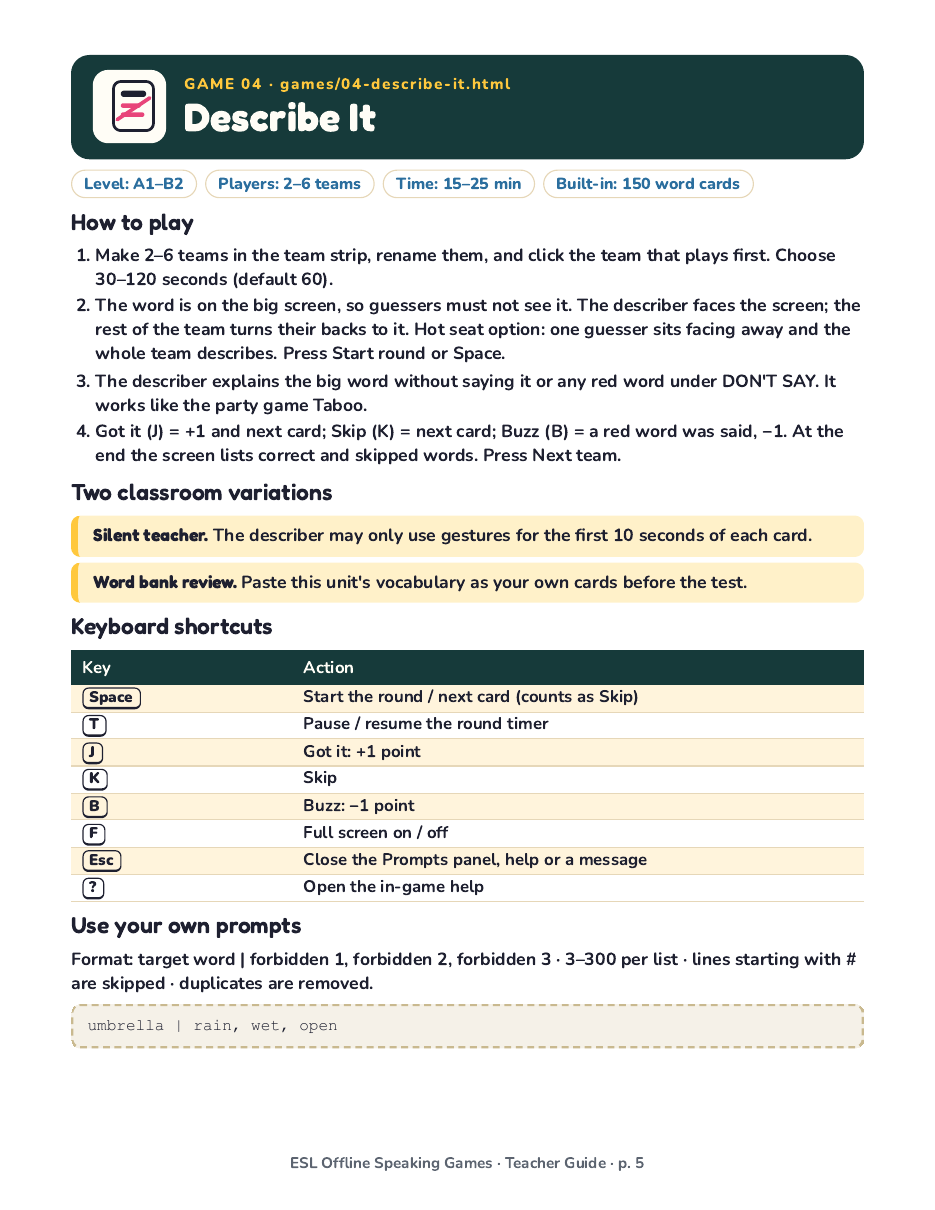
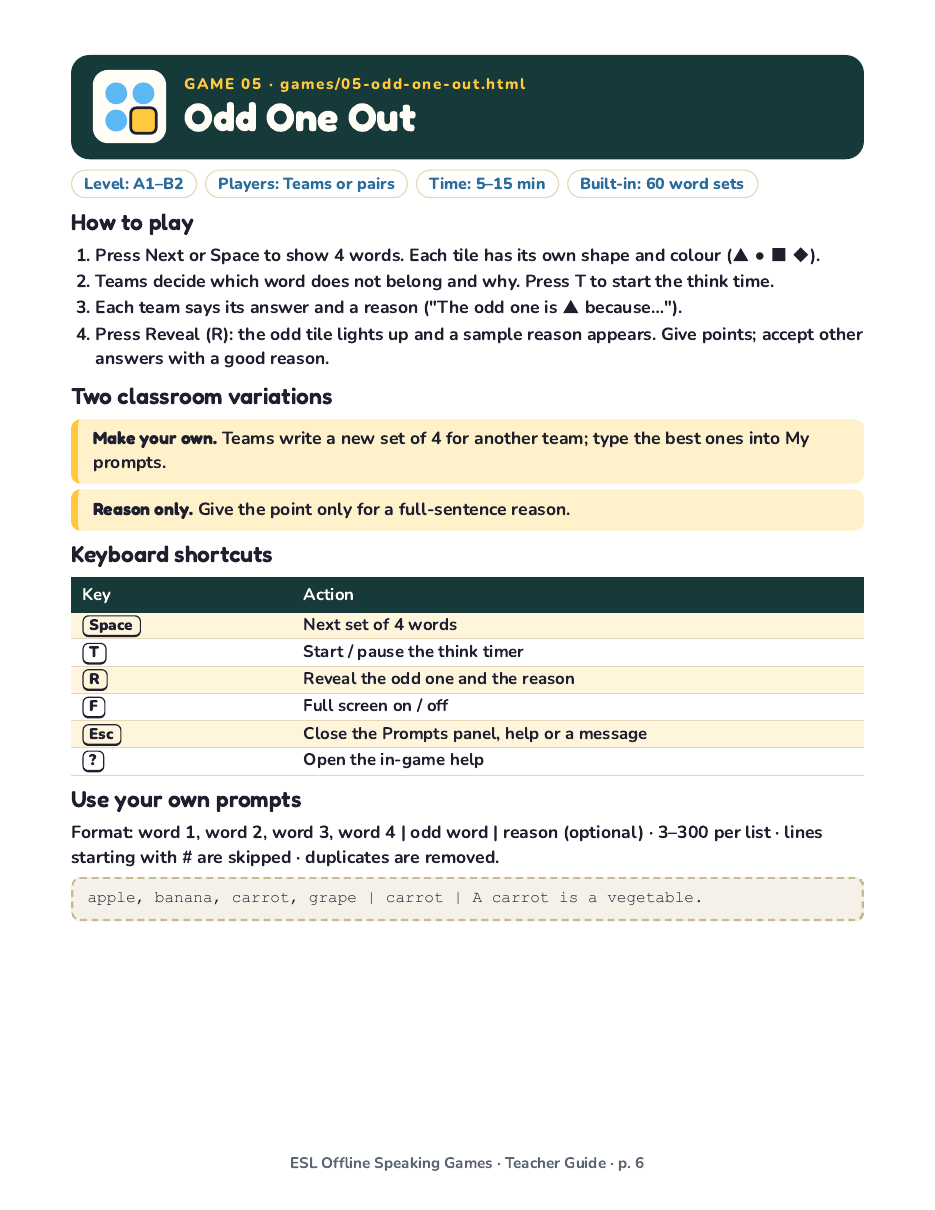
Try the content before you buy. These are real pages from the PDFs in the pack, as images you can open, save or print:
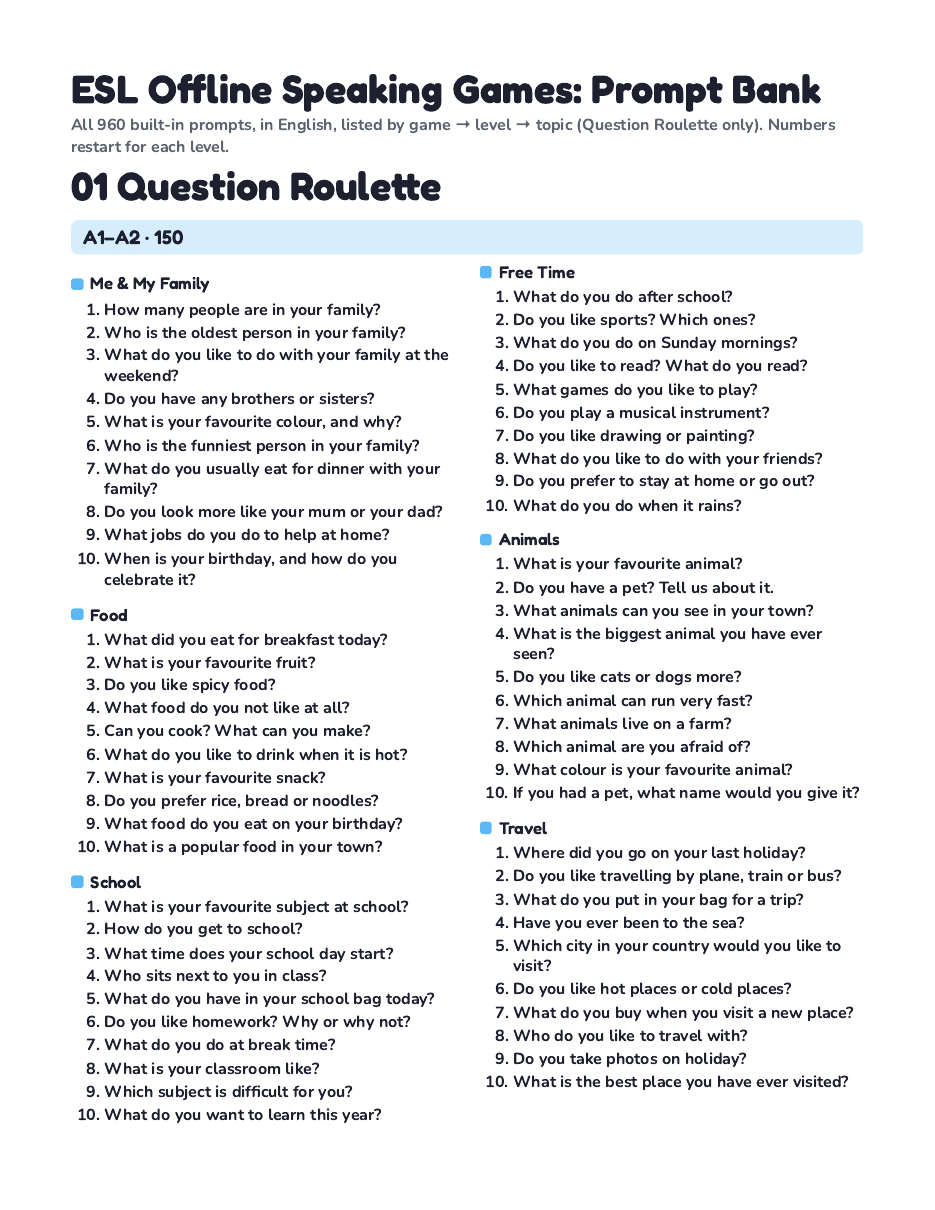
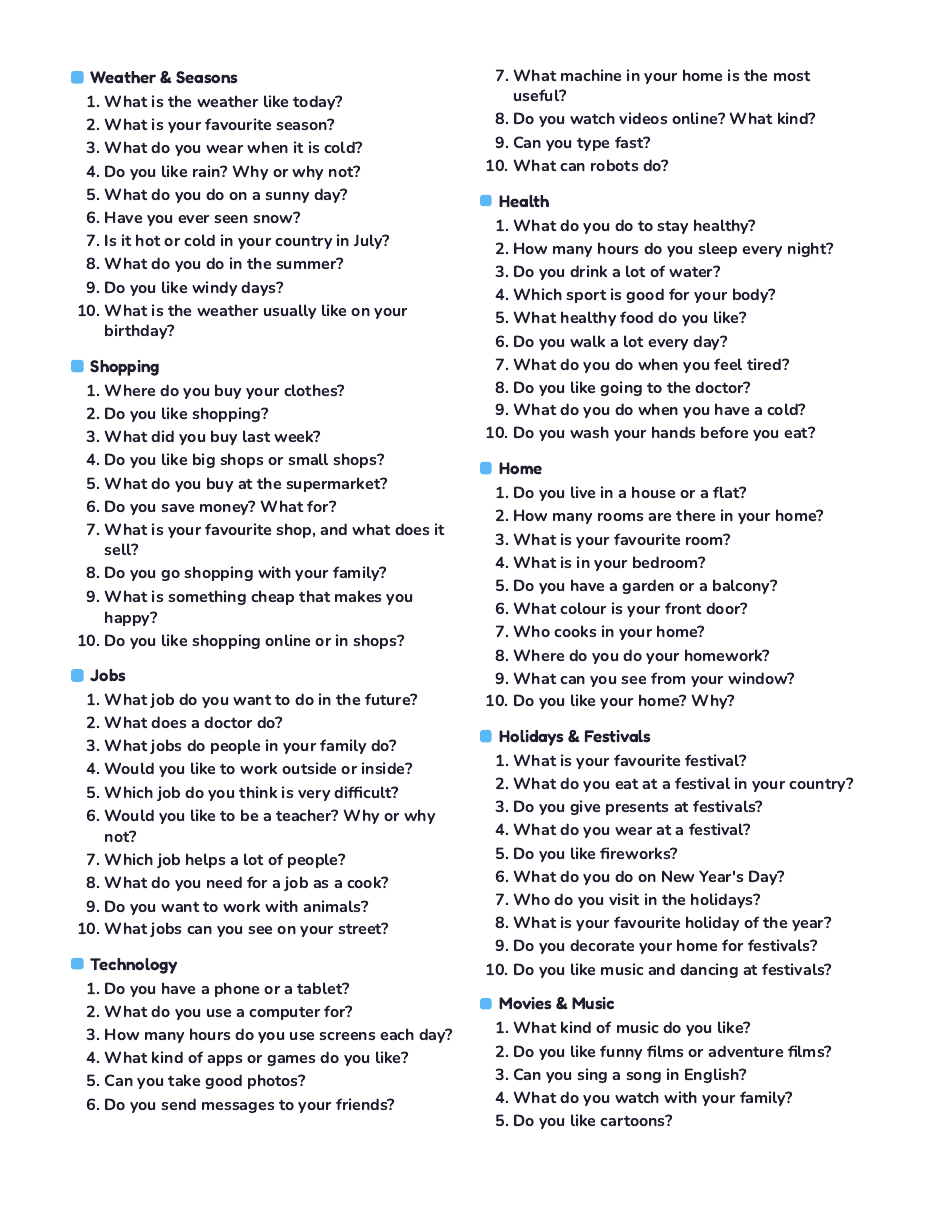
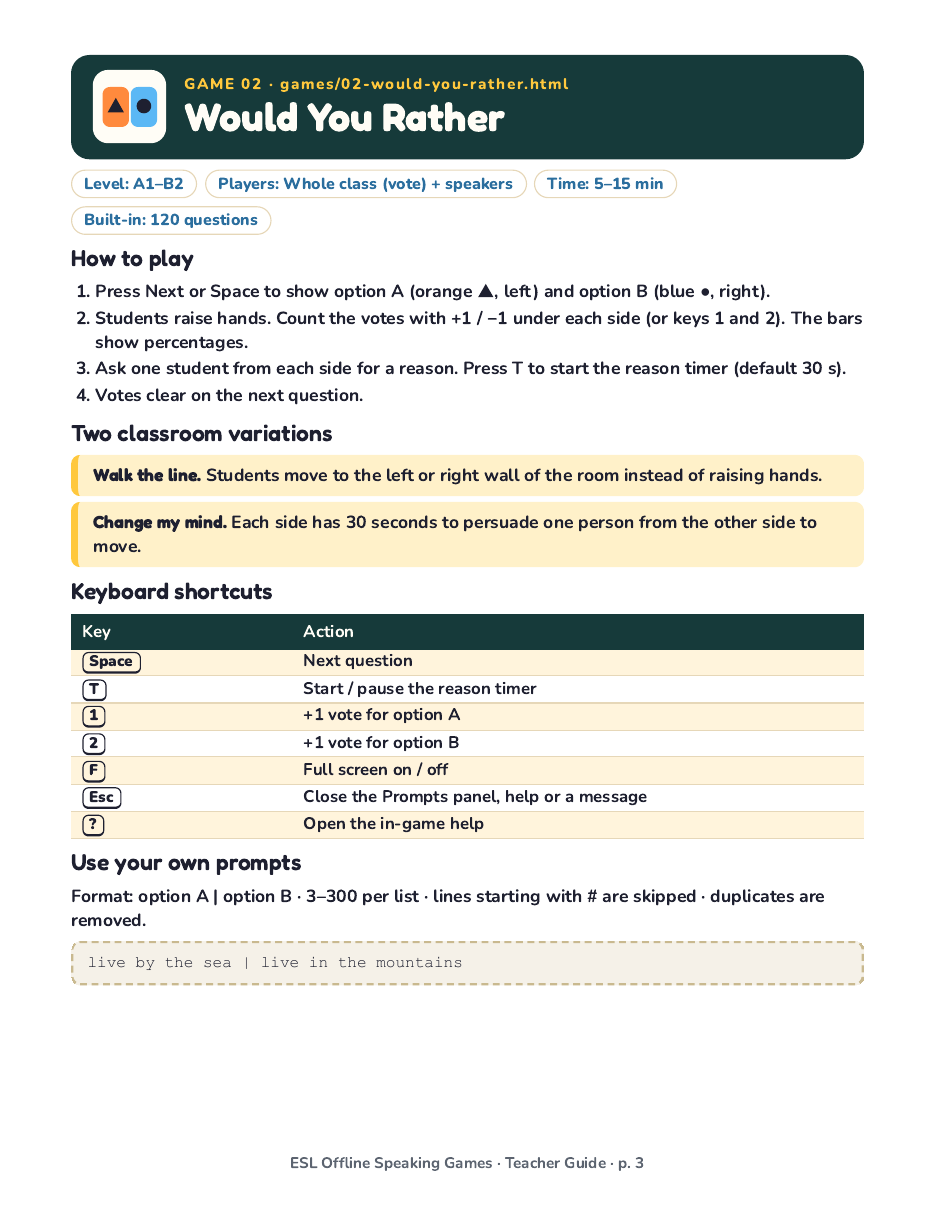
The sample is printed pages only; the 8 interactive games are in the paid pack.
Speaking lessons need a steady supply of good questions, and online quiz tools stop working when the classroom internet does. This pack puts 8 speaking games and 960 original prompts on your own computer or USB stick. Double-click START-HERE.html, pick a game and a level, and press Space.
Each game is a single HTML file that opens in Chrome, Edge, Safari or Firefox and makes no internet connection. That makes it useful in classrooms with slow or blocked internet, on school laptops where you cannot install software, and in schools where students may not create accounts. It needs Chrome or Edge 87 or newer, Firefox 75 or newer, or Safari 14.1 or newer; Internet Explorer does not work.
The price is $15, paid once. There is no subscription and no renewal, and the files keep working after you download them. For comparison: a single-topic speaking-card PDF we looked at sells for $6 for 80 cards that you print or flip through as images, and the TpT speaking-game bundles we checked cost $15.20 to $42. This pack has 960 prompts in 8 projectable games, and the full prompt list is also included as a printable PDF.
The built-in prompts are written in English for school classes (children and teens) and general adult classes, and are split into two levels (A1–A2 and B1–B2) so you can match the class. Prompts per level: Question Roulette 150, Would You Rather 60, Talk for 30 60, Describe It 75, Agree / Disagree 40, Odd One Out 30 sets, Role Play 20 scenes, and Story Chain 25 openings + 20 word sets. The smaller games (Odd One Out, Role Play, Story Chain) will repeat sooner if you play them every day; you can add your own lines to any game. There is no C1 level, and the A1–A2 half includes school-life topics such as school subjects and homework. Question Roulette also lets you pick from 15 topics, such as Food, Travel, Jobs and Technology; the other seven games filter by level only. Prompts avoid politics, religion, romance and other sensitive topics, and none of them name real people or brands.
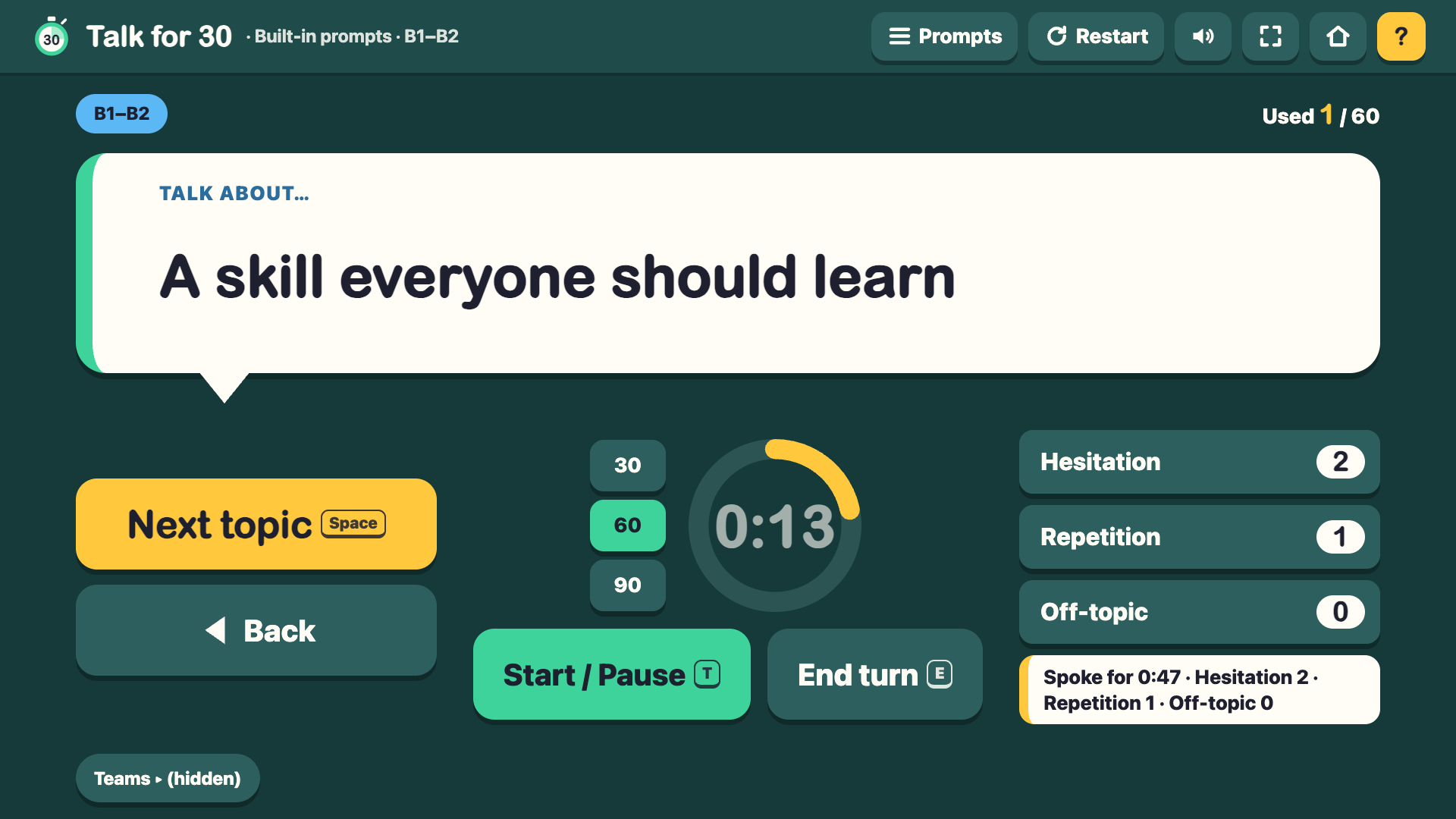
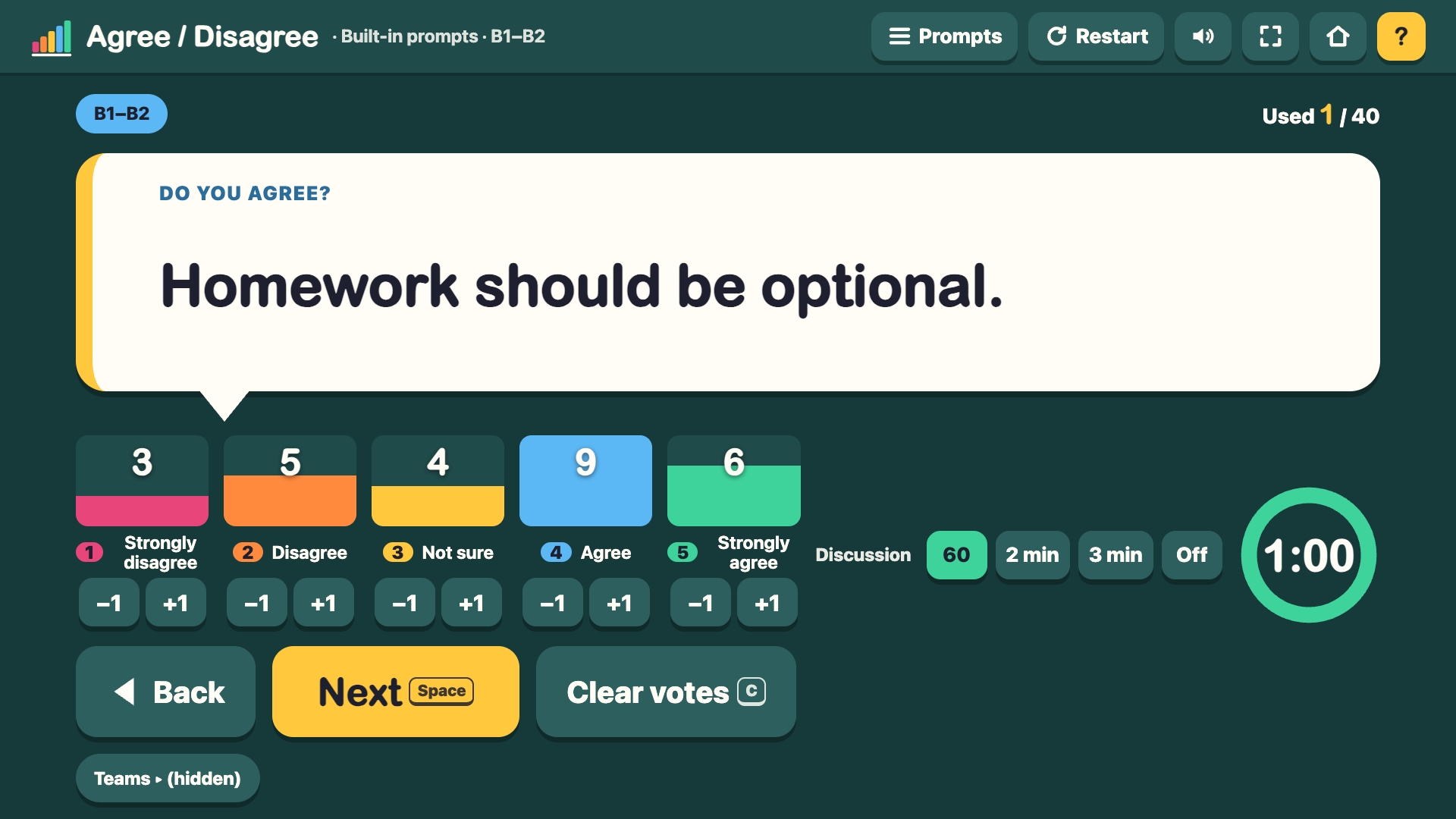
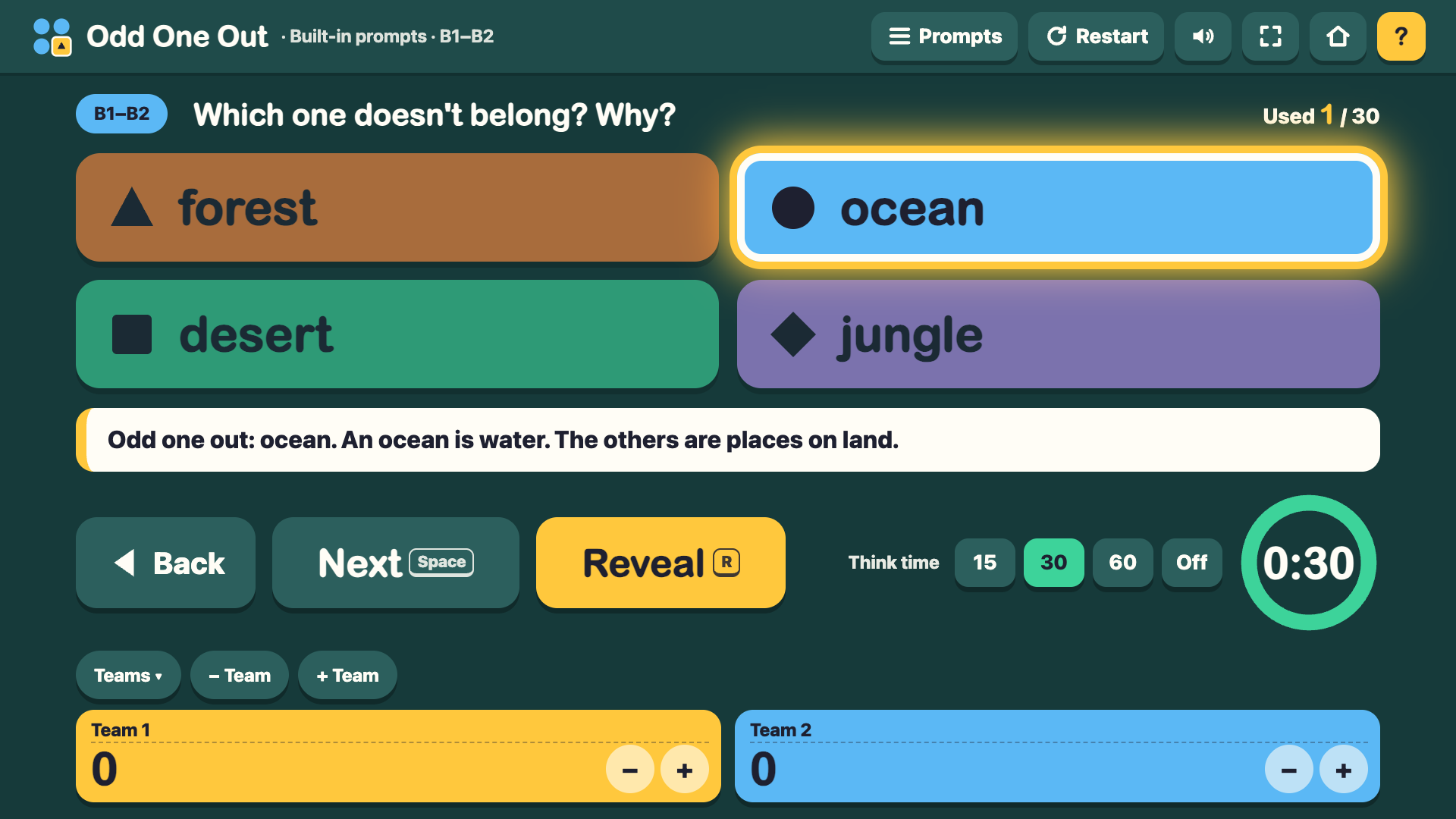
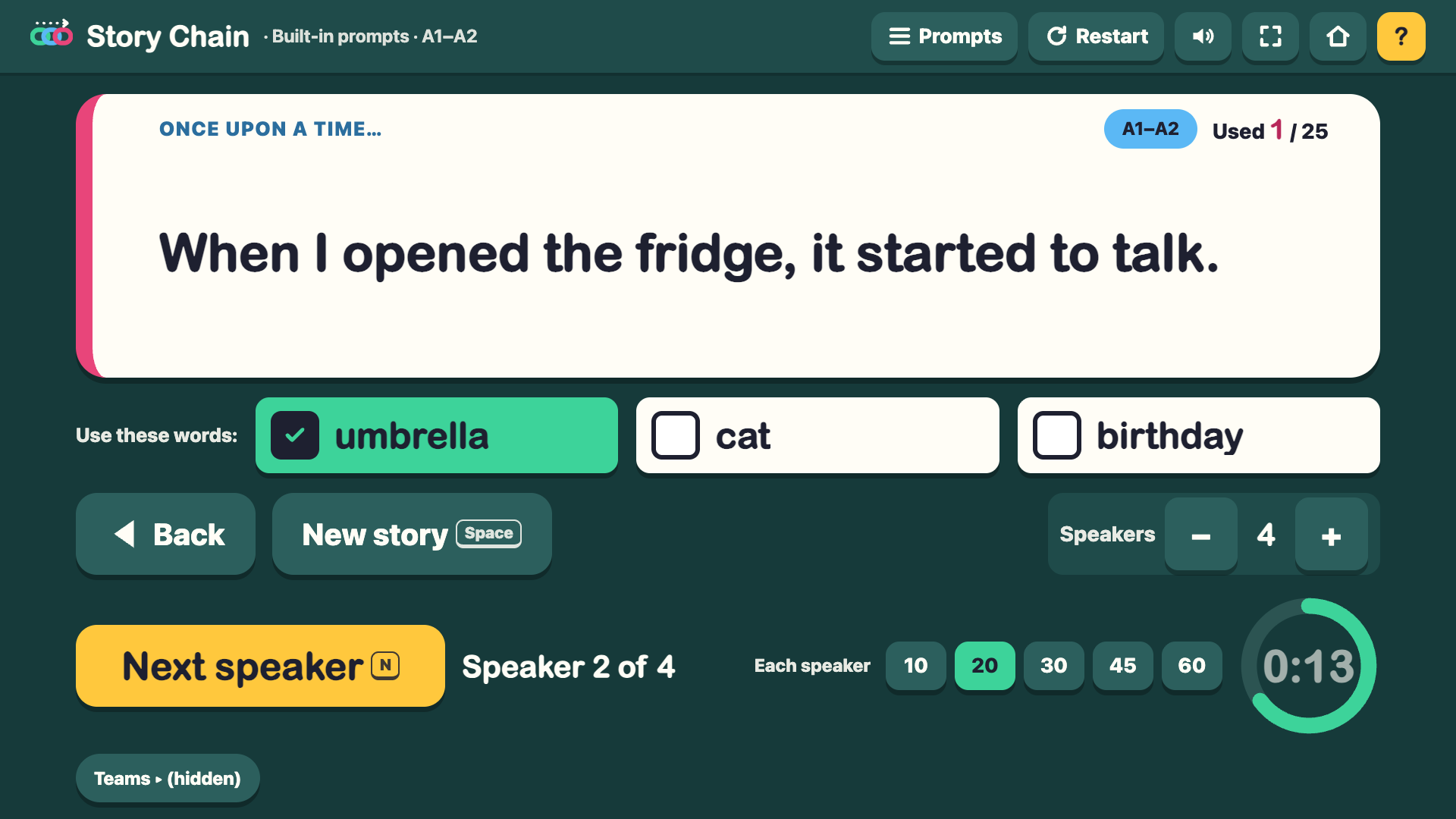
Every game has the same controls: a timer with a sound and a flashing border when time runs out, a team scoreboard for 2–6 teams that you can rename, a Back button to see earlier prompts again (in Describe It, Back works while the round is paused or between rounds and never changes the score), a "no repeats until all prompts are used" deck, full screen, and a help panel listing every shortcut. Describe It adds Got it / Skip / Buzz keys (J, K, B) and a round summary of correct and skipped words. Because the word is on the big screen, the guessers sit with their backs to the screen (or one "hot seat" guesser faces away while the team describes); the game shows this reminder before every round. Role Play shows a scene with a Role A card and a Role B card. In Take turns mode (on by default) both cards start covered: student B turns away while you open only Role A, then you cover it and open only Role B. Odd One Out shows four words; press Reveal to highlight the odd one and show a reason. Story Chain shows an opening line and three must-use words with tick boxes, plus a timer for each speaker. Talk for 30 counts hesitations, repetitions and off-topic moments. Would You Rather and Agree / Disagree show the class vote as bars.
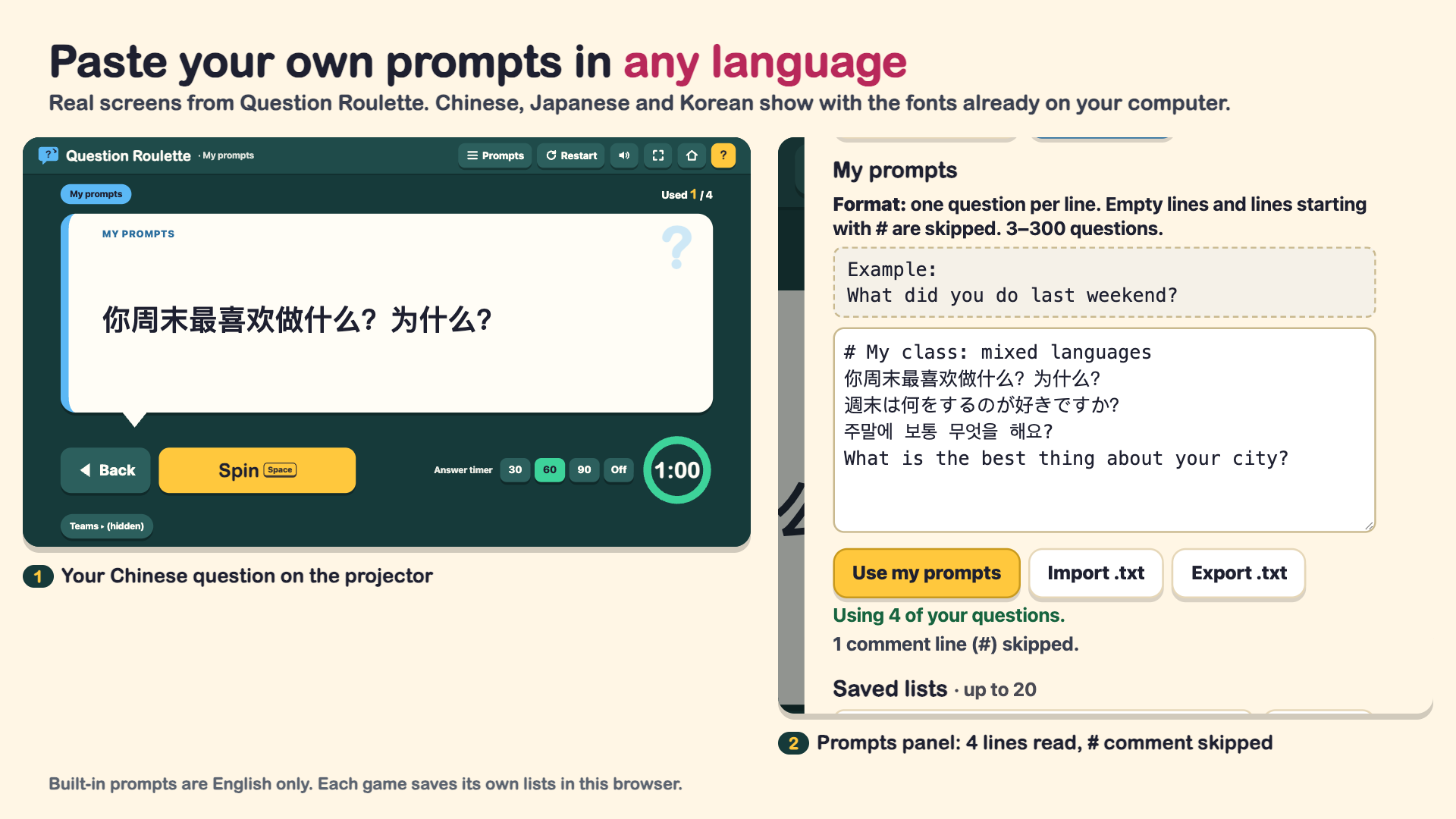
You can paste your own prompts into any game in a simple text format, import or export them as .txt, and save up to 20 named lists per game. Lists are stored only in your browser on that computer, separately for each game, so clearing your browser data deletes them: keep a copy with Export .txt. The built-in prompts are English only and come with no translations; your own prompts can be in any language.
The docs folder has a one-page Quick Start, an 11-page Teacher Guide (one page per game with steps, two variations, shortcuts and the prompt format, plus a zero-prep 45-minute lesson plan) and the full Prompt Bank PDF with all 960 prompts to print, each in US Letter and A4.
ESL-Offline-Speaking-Games-Pack/
  START-HERE.html
  games/   01-question-roulette.html … 08-story-chain.html   (8 files)
  docs/    6 PDFs (below)
  LICENSE.txt
| File | What it is | Pages |
|---|---|---|
| START-HERE.html | Launcher with 8 game cards | – |
| games/01–08 (8 HTML files) | Question Roulette, Would You Rather, Talk for 30, Describe It, Odd One Out, Agree / Disagree, Role Play, Story Chain | – |
| Quick-Start-Letter.pdf | One-page setup | 1 |
| Quick-Start-A4.pdf | One-page setup | 1 |
| Teacher-Guide-Letter.pdf | One page per game + 45-minute lesson plan + reference | 11 |
| Teacher-Guide-A4.pdf | Same content, A4 | 11 |
| Prompt-Bank-Letter.pdf | All 960 prompts to print | 22 |
| Prompt-Bank-A4.pdf | All 960 prompts to print | 20 |
| LICENSE.txt | Single-teacher license | – |
Built-in prompts: 960 in total (300 + 120 + 120 + 150 + 60 + 80 + 40 + 50 story openings + 40 word sets), half A1–A2 and half B1–B2.
Does it really work without internet?
Yes. Every game is a single HTML file with everything inside it. It makes no network requests, so it works with Wi-Fi off and from a USB stick.
Which browsers and computers work?
Chrome or Edge 87 or newer, Firefox 75 or newer, or Safari 14.1 or newer, on Windows or Mac. Internet Explorer does not work. Unzip the folder first and keep START-HERE.html, games/ and docs/ together.
Are the prompts translated into Chinese, Japanese or Korean?
No. The 960 built-in prompts are English only. You can paste your own prompts in any language, and they display with your computer's own fonts.
Where are my own prompts saved, and can I lose them?
Only in the browser on that computer, and each game keeps its own lists (up to 20 per game), because each game uses a different format. Clearing browser data deletes them, so use Export .txt to keep a copy and Import .txt to load it again or move it to another computer.
Can I use it in online lessons, and do students need accounts?
Students need no accounts or devices: you project one screen, and they answer out loud, vote with hands and play in teams. On Zoom or similar tools you can share the browser window like any other window; the offline feature matters less there, but the levels, timers and scoreboards work the same.
What if I find a bug, or a new browser version breaks something?
Email chenphien@gmail.com and we reply within 48 hours. Fixes are sent to buyers free of charge.
There are no reviews yet. How do I know it's worth it?
This is a new product from a small studio, so there are no reviews yet, and we won't invent any. Every screenshot and the video above show the real files, you can download free sample pages above, and you have a 14-day no-questions refund.
What is the refund policy?
Email chenphien@gmail.com within 14 days of purchase and we refund you in full, no questions asked (see Terms).
$15.00 USD, one-time. No subscription.
Buy now: $15Secure checkout by Waffo Pancake (merchant of record: payment, tax and invoice). Instant download. 14-day no-questions refund. Support replies within 48 hours.