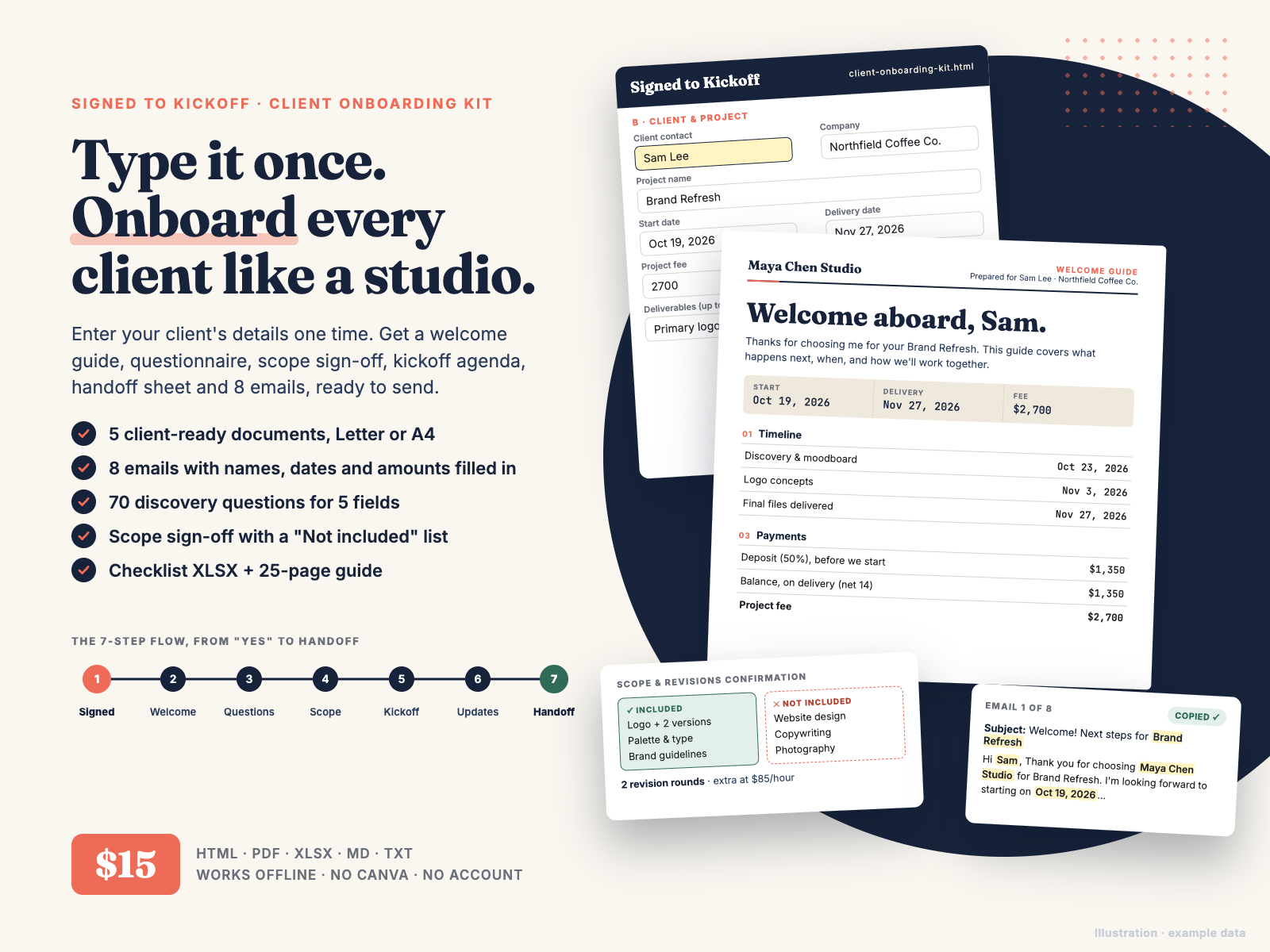
Type your client's details once. Get a welcome guide, discovery questionnaire, scope sign-off, kickoff agenda, handoff sheet and 8 emails, ready to send.
$15.00 USD, one-time payment, instant download, no subscription
Buy now: $15Secure checkout: payment and sales tax are handled by Waffo Pancake, our merchant of record. Your card is processed by Waffo, you get a receipt by email, and we never see your card details. After payment you go straight to the download page.
14-day refund, no questions asked. If the kit isn't right for you, email chenphien@gmail.com within 14 days of purchase with your order email and you get a full refund (the same policy as in the README; see Terms).
Satisfaction guarantee: if the generator won't open in your browser, a file won't download, or the kit doesn't match this page, that's a full refund too.
New shop, honest about it. Hustle Studio is a small new shop, so this kit has no reviews yet and we won't invent any. Instead, every image below is real output from the files (printed with the built-in example data), and the free sample further down is copied word for word from the guide. We reply to support email within 2 business days, and fixed or improved files go on the same download page at no cost.
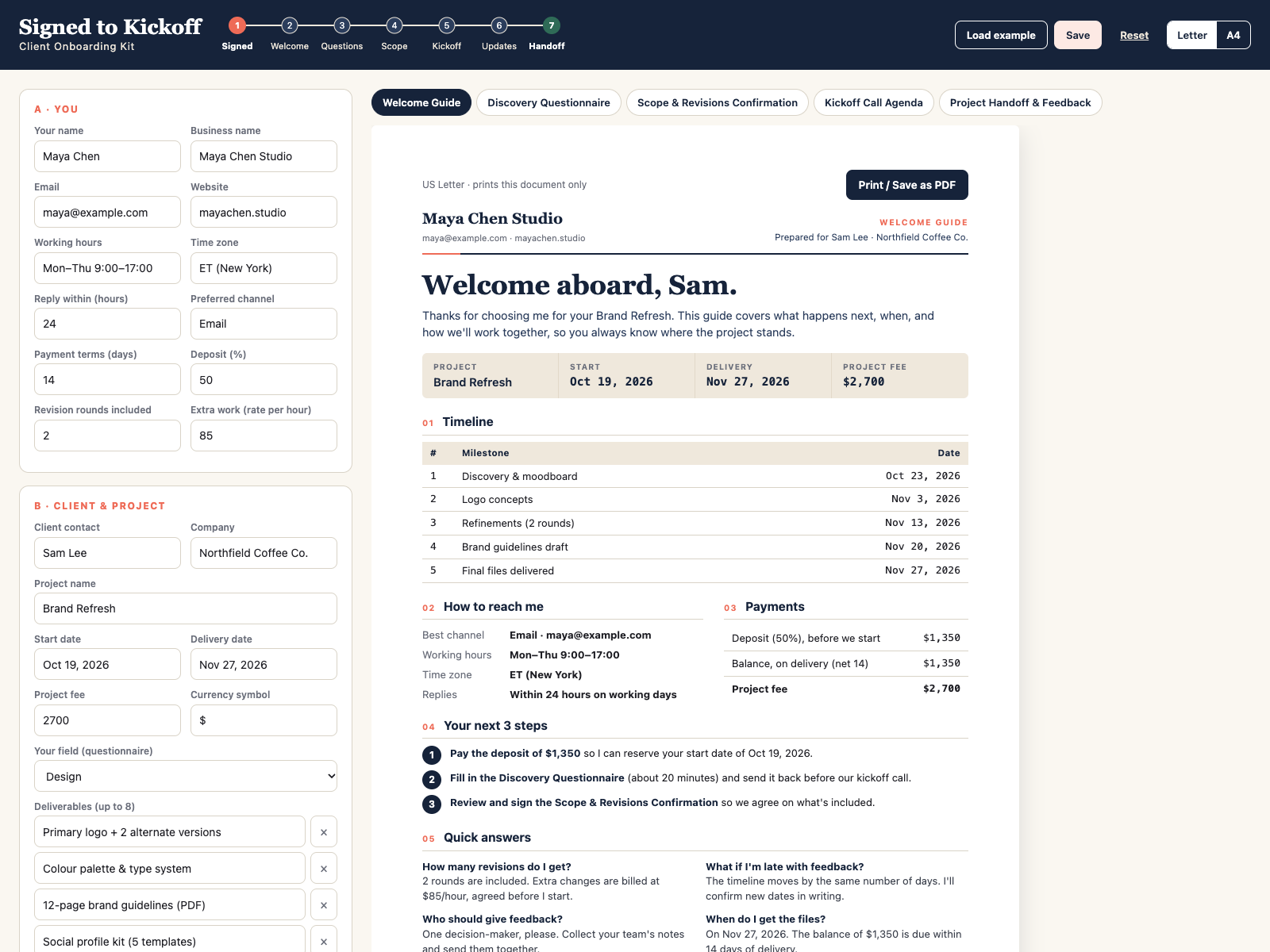
Screen recording of the real generator.
The download page has Signed-to-Kickoff-Onboarding-Kit-All-Files.zip with all 7 files, plus a separate download link for each file:
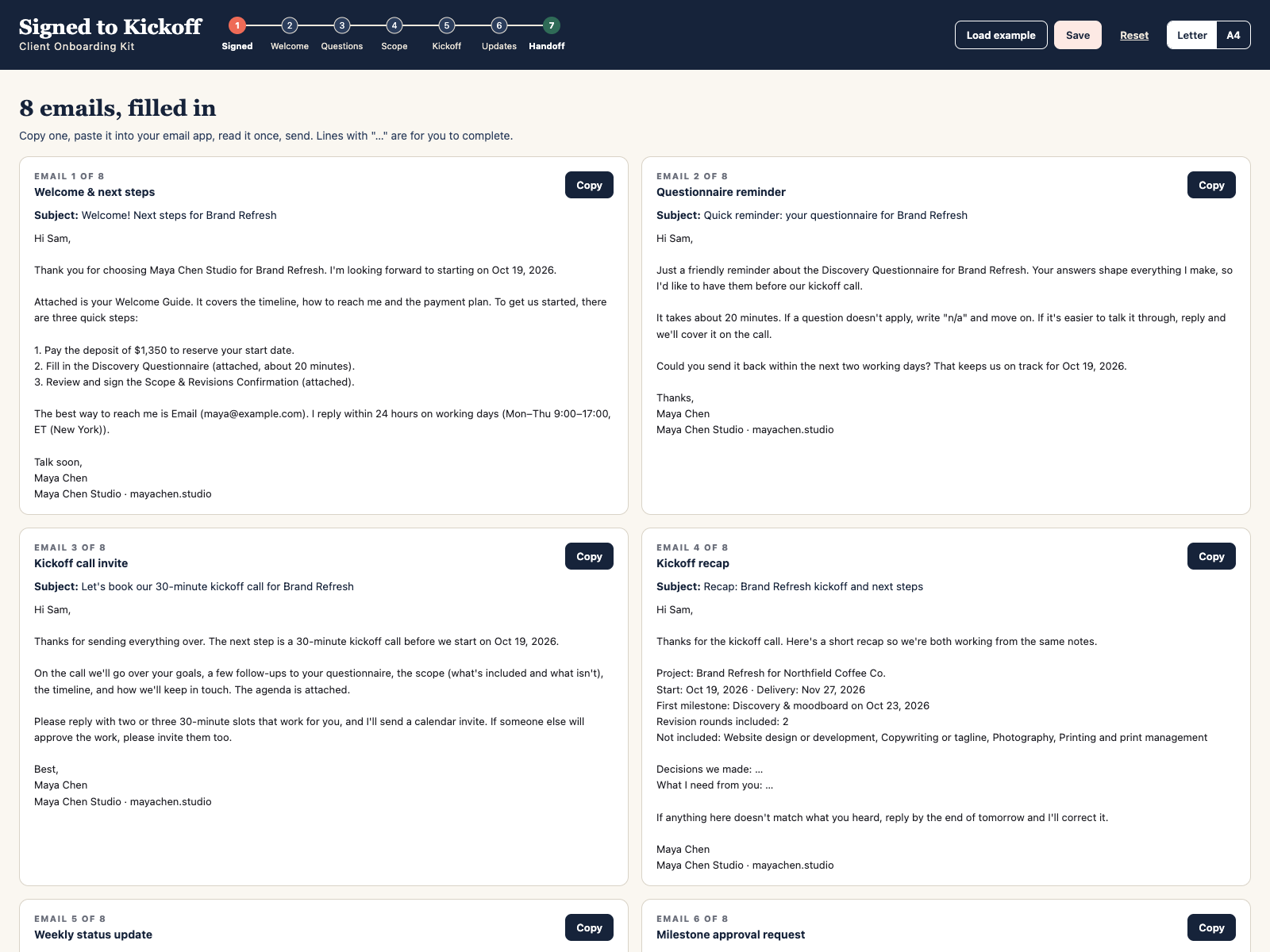
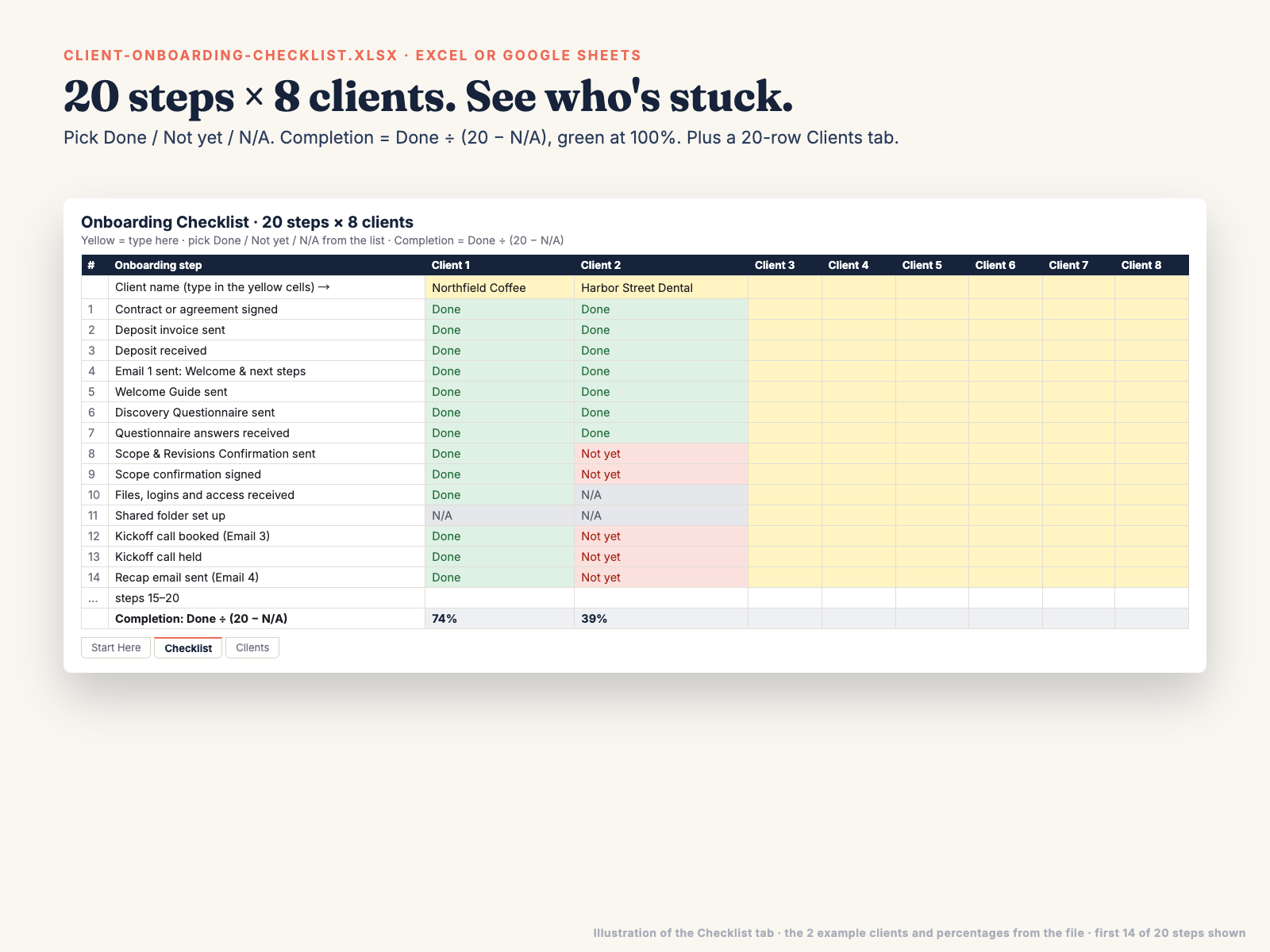
client-onboarding-kit.html: the offline generator. 12 "You" fields, 11 "Client & project" fields (up to 8 deliverables, 8 not-included items and 6 milestones), 5 document tabs with a Print / Save as PDF button each, 8 emails with Copy buttons, Letter/A4 switch, Load example, Save and Reset.onboarding-guide-letter.pdf: the guide, 25 pages, US Letter.onboarding-guide-a4.pdf: the same guide, 25 pages, A4.onboarding-templates.md: the 5 documents as text with [Placeholders], plus all 70 questions, for Google Docs, Word or Notion.onboarding-emails.txt: the 8 emails as text (§1–§8), each with a Subject line.client-onboarding-checklist.xlsx: 3 tabs (Start Here, Checklist with 20 steps × 8 clients and a completion % per client, Clients with 20 rows and days since signing); 2 example clients; dropdowns Done / Not yet / N/A, 6 stages and Deposit paid Yes / No.README.txt: which file to open first, printing, Google Sheets import, support and refund.All images come from the real files, using the generator's built-in example (Maya Chen Studio, Brand Refresh for Northfield Coffee Co.).
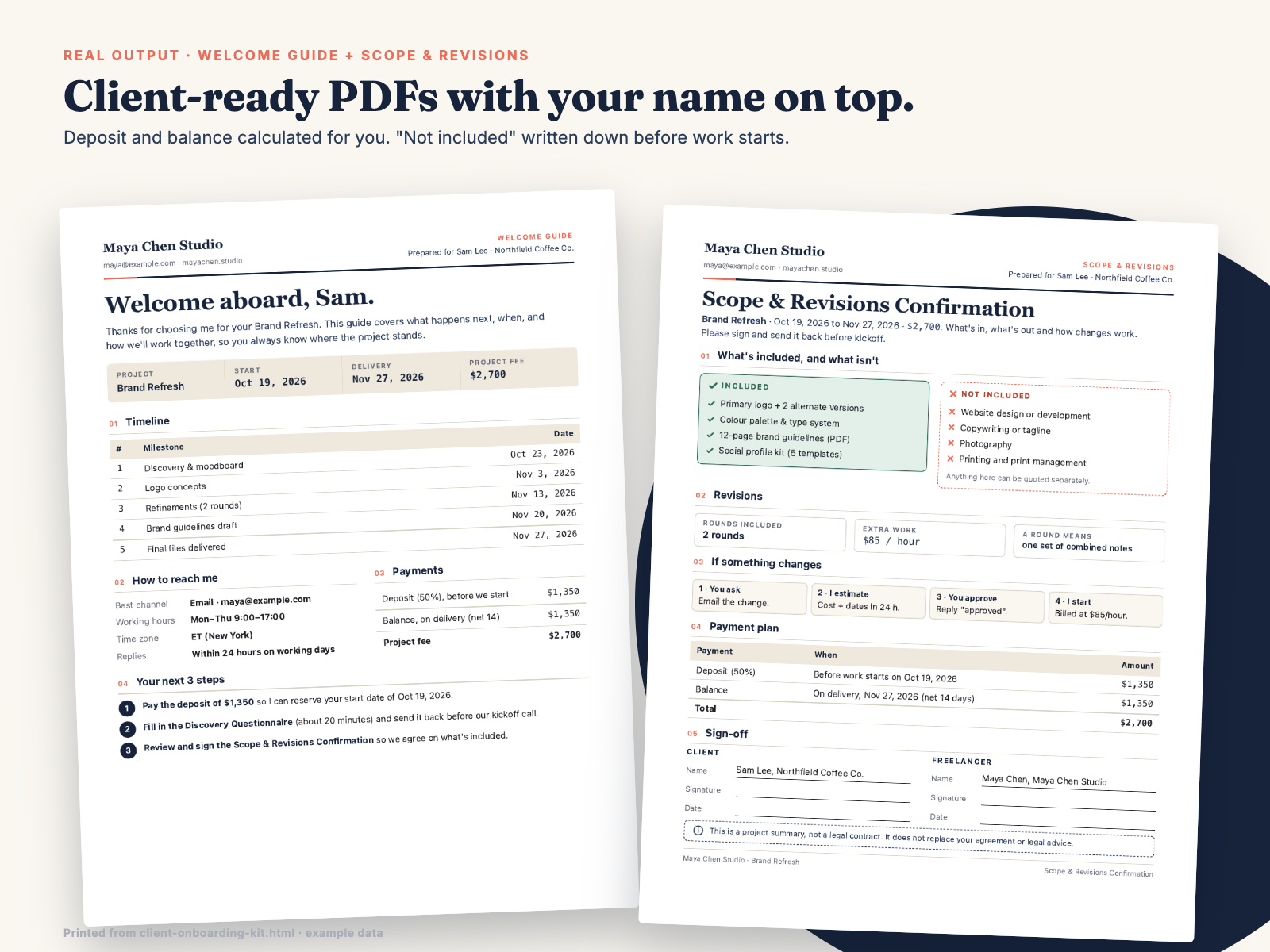
Here is an example Welcome Guide exactly as the generator prints it (open the image full size to read every line), followed by the guide's Chapter 1 word for word.
Example Welcome Guide, printed from client-onboarding-kit.html with the built-in example data
Click the image to open it full size.
Guide page 4 · Chapter 1, The 7-Step Onboarding Flow
When onboarding is improvised, small things fall through: the deposit invoice goes out late, the logo files arrive in week three, nobody agreed what "a revision" means. A fixed flow removes those gaps. Each step below has one job and one file or email from this kit.
1 · Signed (day 0). The client says yes. Send your contract or agreement and the deposit invoice. These come from your own paperwork; this kit starts right after.
2 · Welcome (day 0). Email 1 + Welcome Guide. Timeline, how to reach you, payment plan and the next 3 steps, in one PDF.
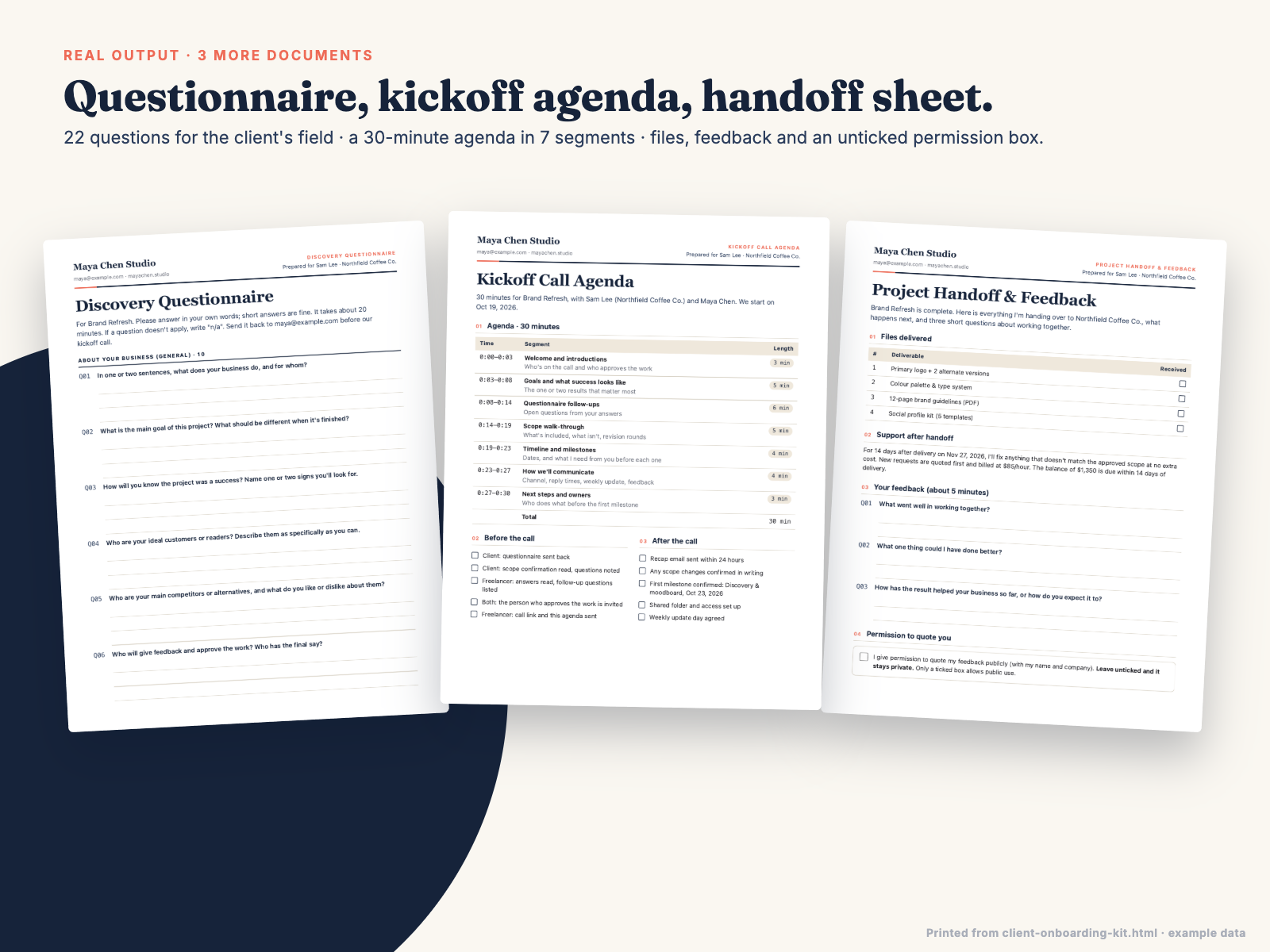
3 · Questions (days 0–3). Discovery Questionnaire (22 questions for the client's field). If it isn't back in 2–3 working days, send Email 2.
4 · Scope (before kickoff). Scope & Revisions Confirmation. What's included, what isn't, revision rounds and how changes work, signed by both of you.
5 · Kickoff (before the start date). Email 3 + Kickoff Call Agenda for a 30-minute call. Within 24 hours, send the recap (Email 4).
6 · Updates (every week). Email 5 on the same day each week. Email 6 whenever a milestone is ready for approval.
7 · Handoff (delivery day + 1–2 weeks). Email 7 + Project Handoff & Feedback sheet with the final files. One to two weeks later, Email 8 asks for feedback.
The client said yes. Now what? You need to send a welcome, collect answers, agree on scope, run a kickoff call, keep them updated and, at the end, hand everything over and ask for feedback. Writing that from scratch for every client takes hours, and the bits you forget (the deposit, the "not included" list, the logo files you still don't have) come back as problems in week three.
Signed to Kickoff gives you the whole sequence. Open the generator in your browser, type your details once and click Save, then fill in a short form for each new client: name, company, project, dates, fee, deposit %, deliverables, what's not included and up to 6 milestones. Five documents and eight emails fill themselves in. The deposit and balance are calculated (2,700 × 50% = 1,350, balance 1,350), and every document and email uses the same names, dates and amounts. Anything you leave empty shows as a [Placeholder], so nothing goes out half-finished by accident.
The documents look like they came from a small studio: your business name, a clean letterhead, a timeline table, an Included / Not included pair, signature lines and a plain-English note that the scope confirmation is a project summary, not a legal contract. The questionnaire switches between 5 fields, so a developer asks about domains and logins, and a copywriter asks about tone and reviewers.
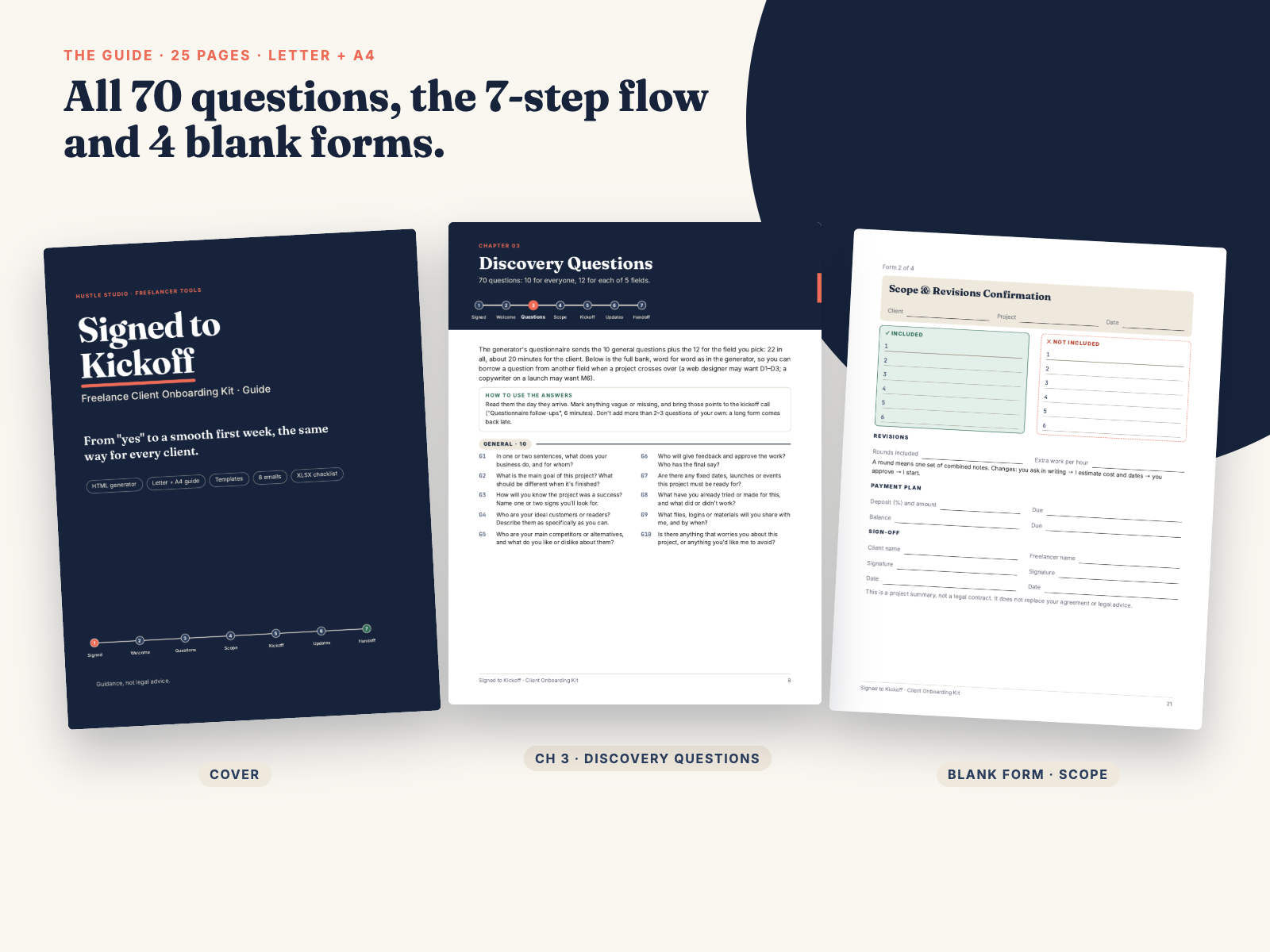
The 25-page guide (US Letter and A4, same pages) explains the 7-step flow from "signed" to "handoff", lists all 70 questions, shows how to write deliverables and a "Not included" list, runs through the 30-minute kickoff agenda minute by minute, sets communication rules and covers asking for testimonials honestly (only with written permission). It ends with 4 printable blank forms and a worked example. Prefer to edit the wording? The same 5 documents and 8 emails come as plain-text templates for Google Docs, Word or Notion.
Honest limits: this is not a contract or legal advice, and it doesn't replace your agreement. It doesn't send emails or connect to your inbox; you copy and send them. Your details are saved only in your own browser. The generator has no PDF export of its own; it uses your browser's Print / Save as PDF.
Do I need Canva, Notion or an account?
No. client-onboarding-kit.html opens in Chrome, Edge, Safari or Firefox and works offline. The checklist opens in Excel or Google Sheets.
How do I get PDFs to send to my client?
Open a document tab and click Print / Save as PDF, then choose "Save as PDF" in your browser's print window. Only that document prints, on Letter or A4.
Where are my details saved, and could I lose them?
Only in the browser you use, on your own computer, when you click Save. Nothing is uploaded. If you clear your browser data, use private/incognito mode or open the file in a different browser, the form starts empty, so keep the PDFs you send in each client's folder. Your wording is also safe in onboarding-templates.md and onboarding-emails.txt.
Is the Scope & Revisions Confirmation a contract?
No. It's a plain-English project summary that both of you sign, and it says so on the page. Keep your own agreement for legal terms. Nothing in the kit is legal advice.
Can I change the wording?
Yes. The generator's text is fixed so it stays consistent, but onboarding-templates.md and onboarding-emails.txt contain the same documents and emails with [Placeholders], ready to edit in Google Docs, Word or Notion.
Who is Hustle Studio, and how do I get the files?
Hustle Studio is a small independent shop making templates and toolkits for freelancers (see our other products). Checkout runs through Waffo Pancake, our merchant of record, which handles payment and tax. Right after payment you are sent to a download page with the ZIP and a link for each file. Bookmark it to download again later.
How does a refund work?
Email chenphien@gmail.com within 14 days of purchase with your order email and say you'd like a refund. No questions asked; we reply within 2 business days and the refund goes back to your original payment method through Waffo Pancake. See Terms.
$15.00 USD, one-time
Buy now: $15Secure checkout by Waffo Pancake (merchant of record), receipt by email. 14-day full refund.