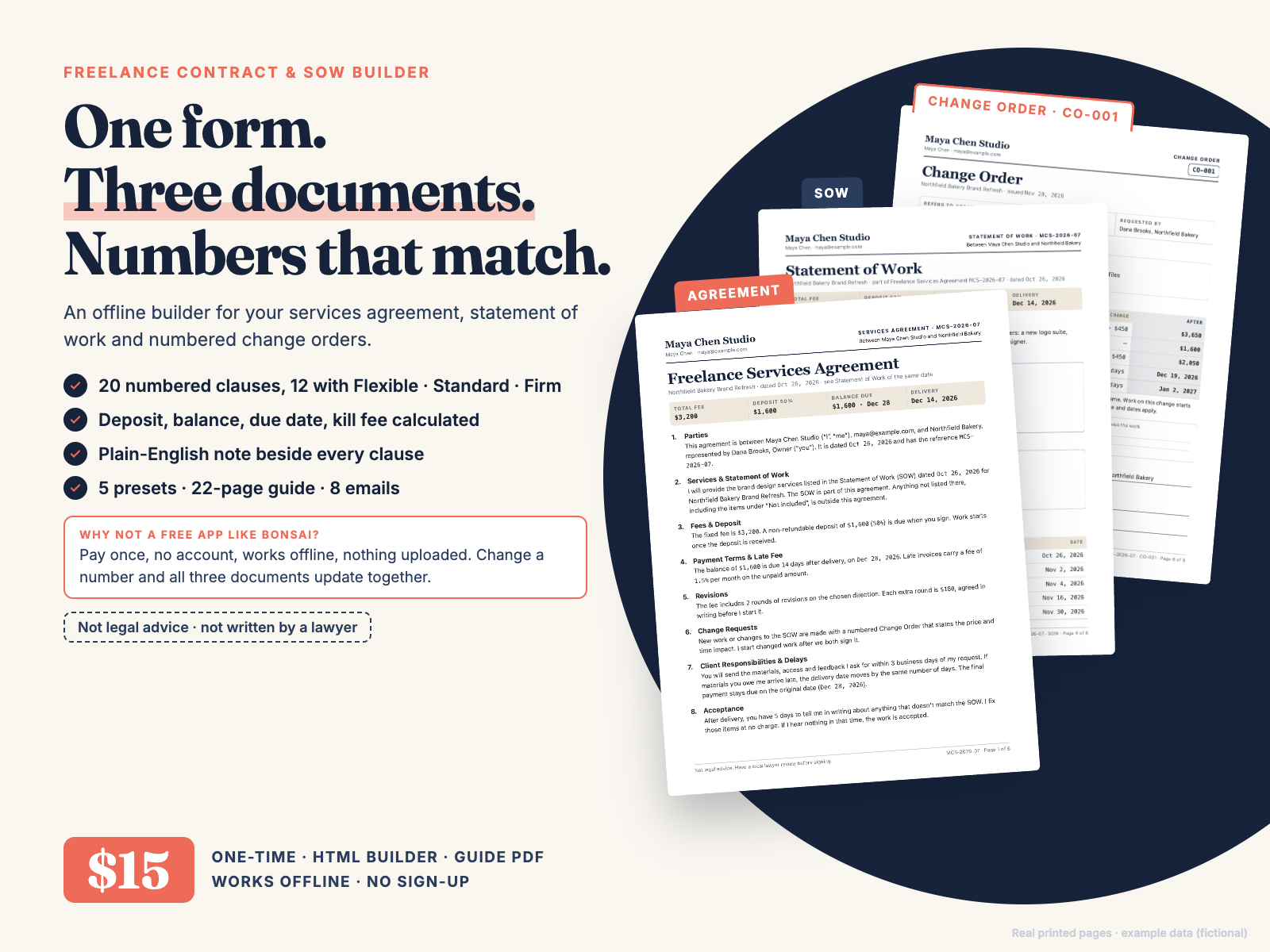
Contract, Statement of Work and Change Order from one form, with deposit, late fee, revisions and kill fee filled in. Not legal advice.
$15.00 USD, one-time payment, instant download, no subscription
Buy now: $15 Try the free Lite versionSecure checkout: payment and sales tax are handled by Waffo Pancake, our merchant of record. Your card is processed by Waffo (we never see your card details) and you get a receipt by email. After payment you go straight to the download page.
14-day refund, no questions asked. If the builder isn't right for you, email chenphien@gmail.com (or reply to your Waffo receipt) within 14 days of purchase and you get a full refund. See Terms.
Satisfaction guarantee: not happy with it, full refund. And if the builder won't open in your browser, a file won't download, or the product doesn't match this page, that's a full refund too.
New shop, honest about it. Hustle Studio is a small, new independent shop making offline tools for freelancers (see our other products). This product has no reviews yet and we won't invent any. Instead: every image below is a real screenshot or real page from the files, you can try the free Lite version in your browser right now, and parts of guide Chapters 5 and 6 and a full email are on this page word for word.
Support and updates: we reply to support email within 2 business days. If we fix or improve the files, email us and we send you the latest version free; your saved contracts move over with Export / Import JSON.
Your data: the builder is one offline HTML file. It makes no network requests; contracts are saved in your browser's local storage. Clearing browser data deletes them, so use Export JSON to keep a backup file you can import on any computer.
Real screen recording of contract-builder.html (example data, fictional).
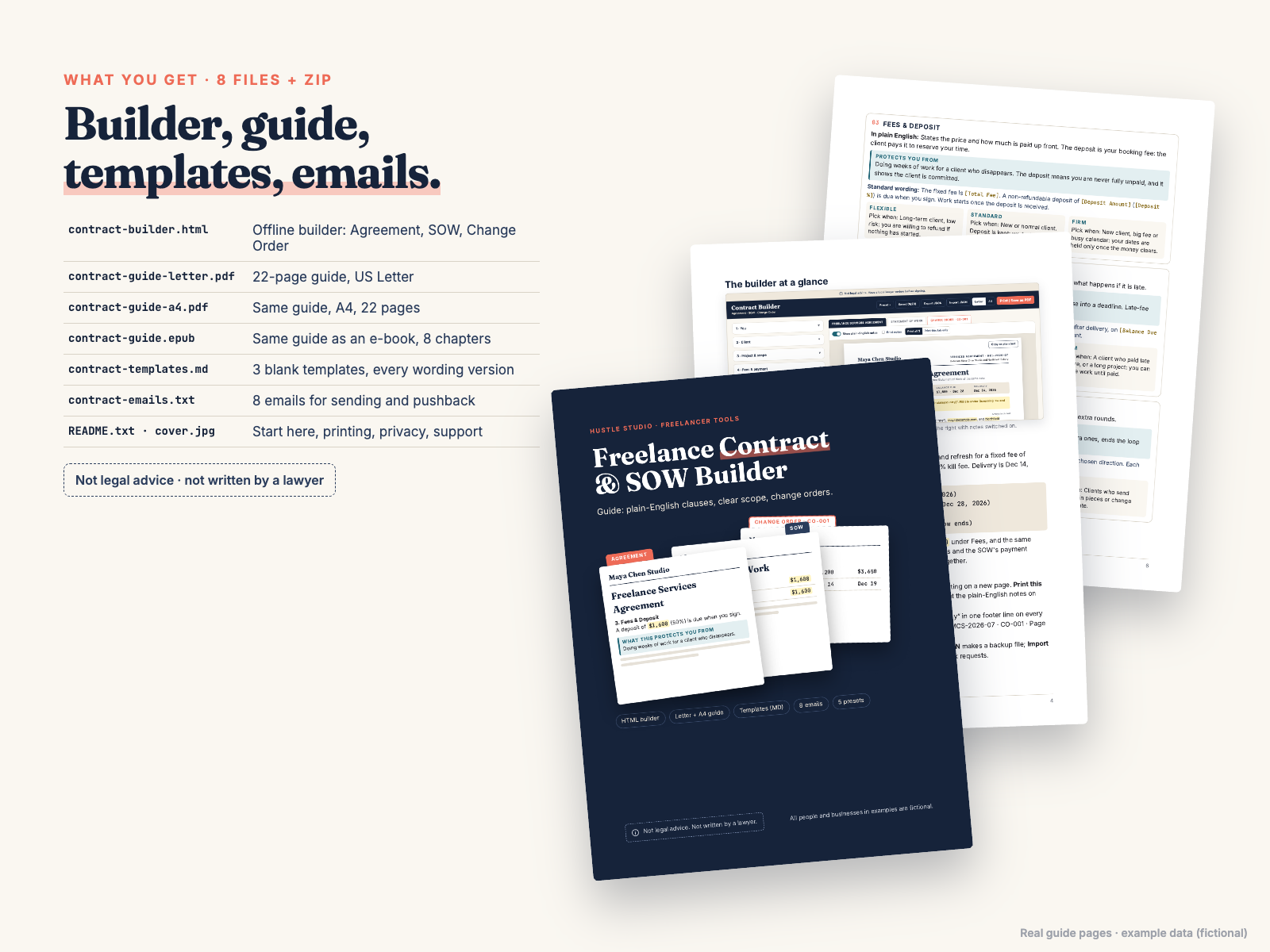
The download page has freelance-contract-builder.zip with files 1–8, plus a separate download link for each file (the same list as README.txt):
| # | File | Format | What it is |
|---|---|---|---|
| 1 | contract-builder.html | HTML (opens in your browser, offline) | The builder: Agreement, SOW, Change Order; 5 presets; 20 clauses; logo + brand color; Letter/A4; save 20 contracts; Export/Import JSON |
| 2 | contract-guide-letter.pdf | PDF, 22 pages, US Letter | Guide, 8 chapters |
| 3 | contract-guide-a4.pdf | PDF, 22 pages, A4 | The same guide on A4 |
| 4 | contract-guide.epub | EPUB e-book, 8 chapters | The same guide for e-readers and reading apps (Apple Books, Kindle and others) |
| 5 | contract-templates.md | Markdown (plain text) | 3 blank templates (Agreement, SOW, Change Order) with every wording version, for Google Docs, Word or Notion |
| 6 | contract-emails.txt | Plain text | 8 emails, each with a Subject line |
| 7 | README.txt | Plain text | File list, which file to open first, printing, privacy, support |
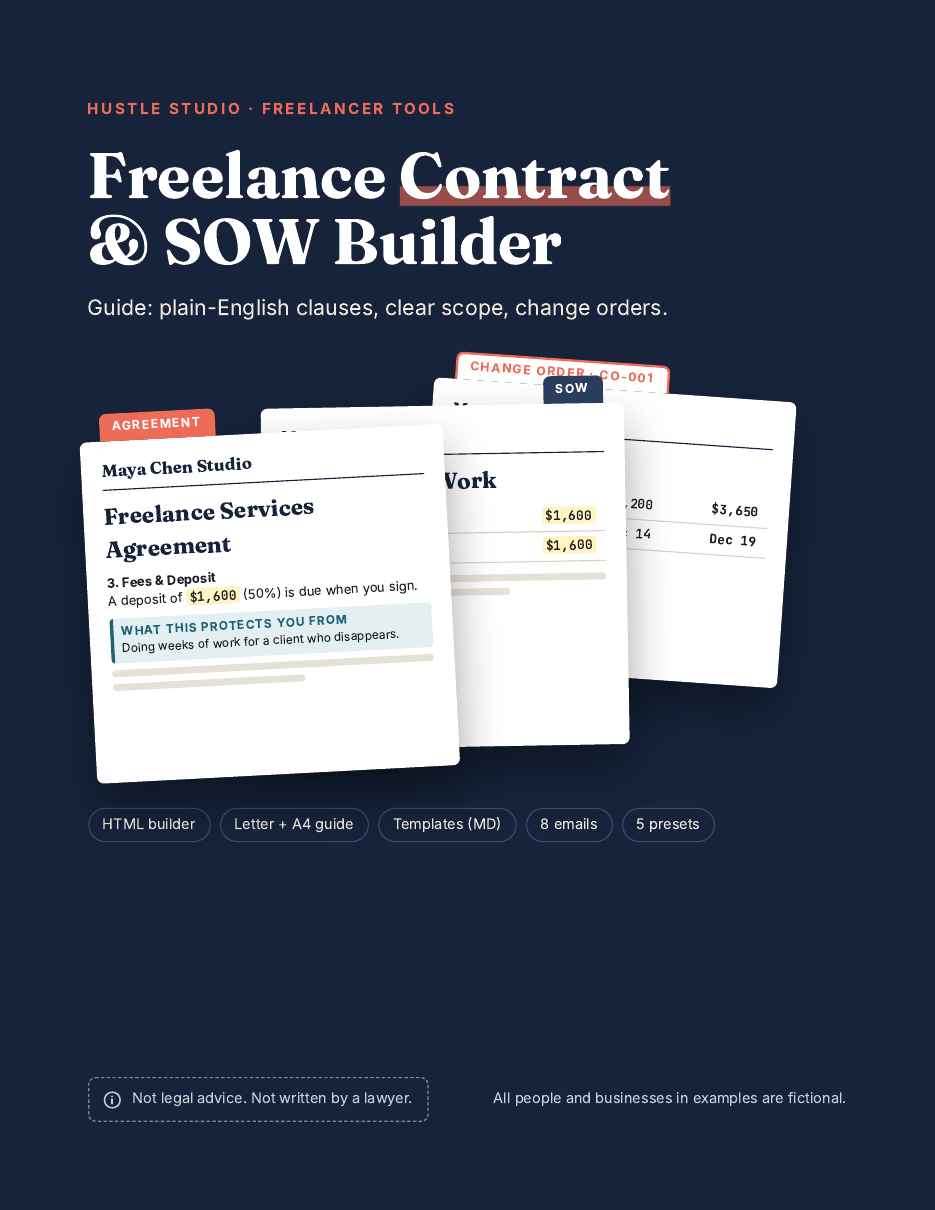
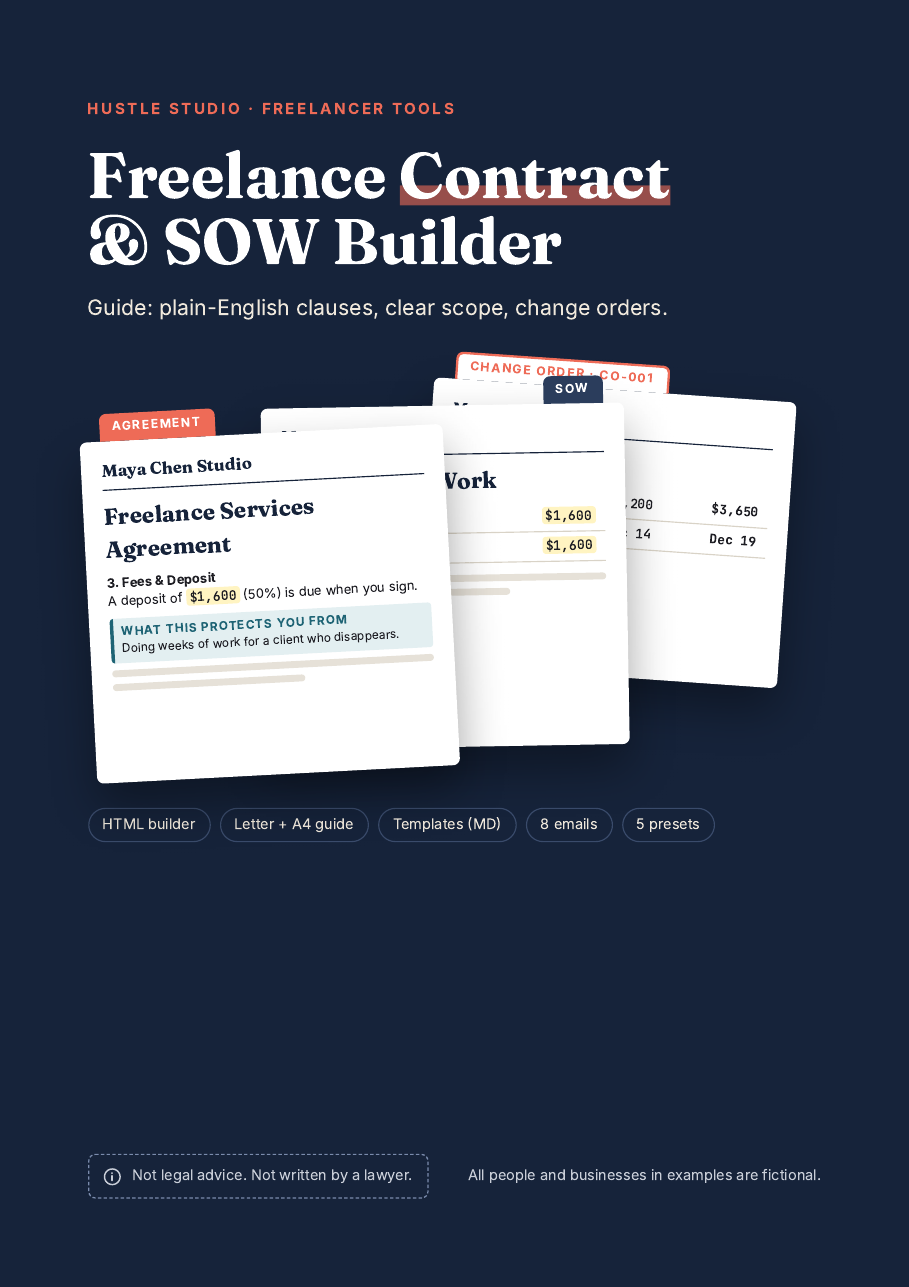
| 8 | cover.jpg | JPEG, 1600 × 2560 | Cover image |
| + | freelance-contract-builder.zip | ZIP | Files 1–8 in one download |
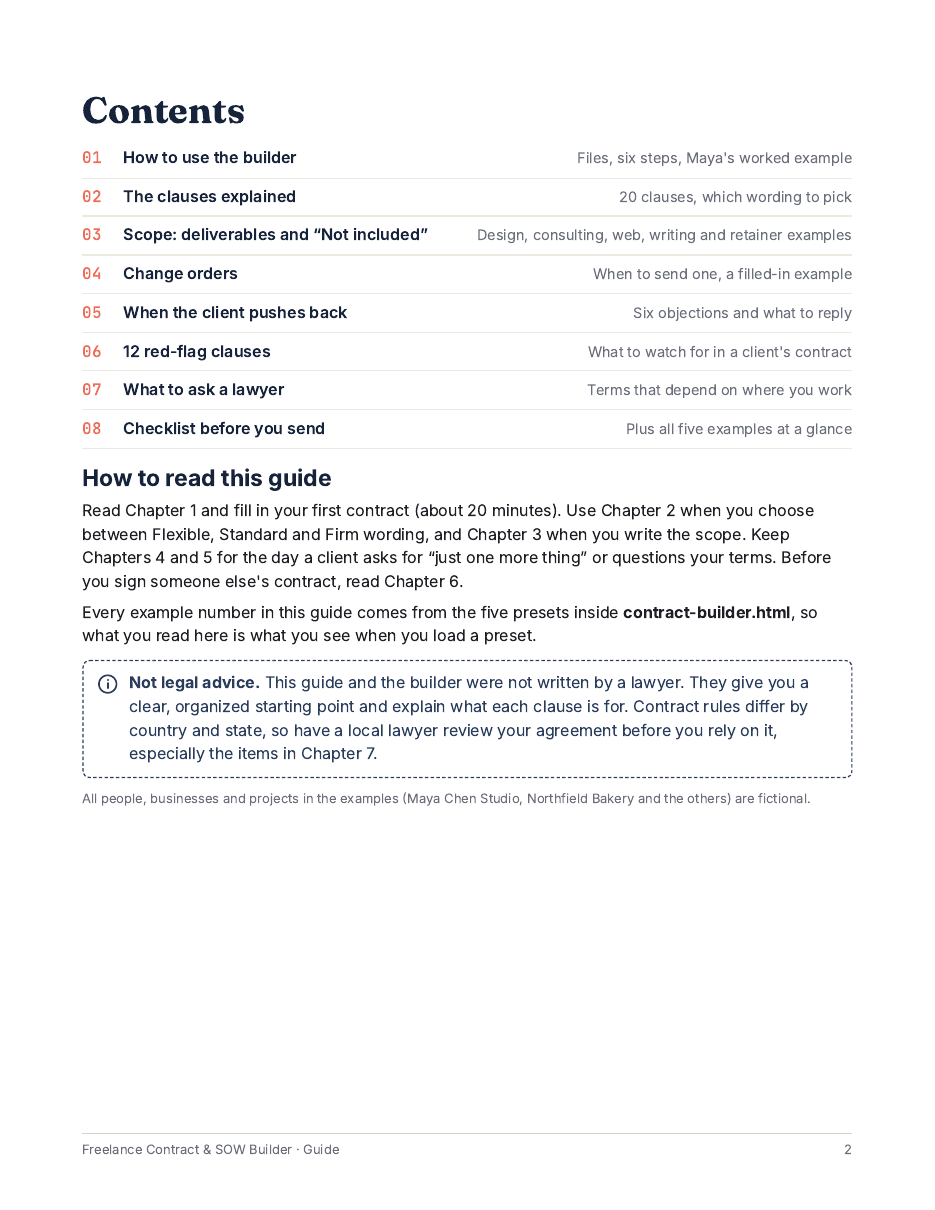
Guide chapters: How to use the builder · The clauses explained · Scope and "Not included" · Change orders · When the client pushes back (6 objections) · 12 red-flag clauses · What to ask a lawyer · Checklist before you send.
All images come from the real files, using the builder's built-in example (fictional people and businesses).
1. Free Lite version (works in your browser): open the Lite builder. It makes the Services Agreement with the Design preset and Standard wording. Nothing is uploaded.
What the full version adds over Lite:
2. The first 8 pages of the guide (US Letter), full size: click any page to open it.
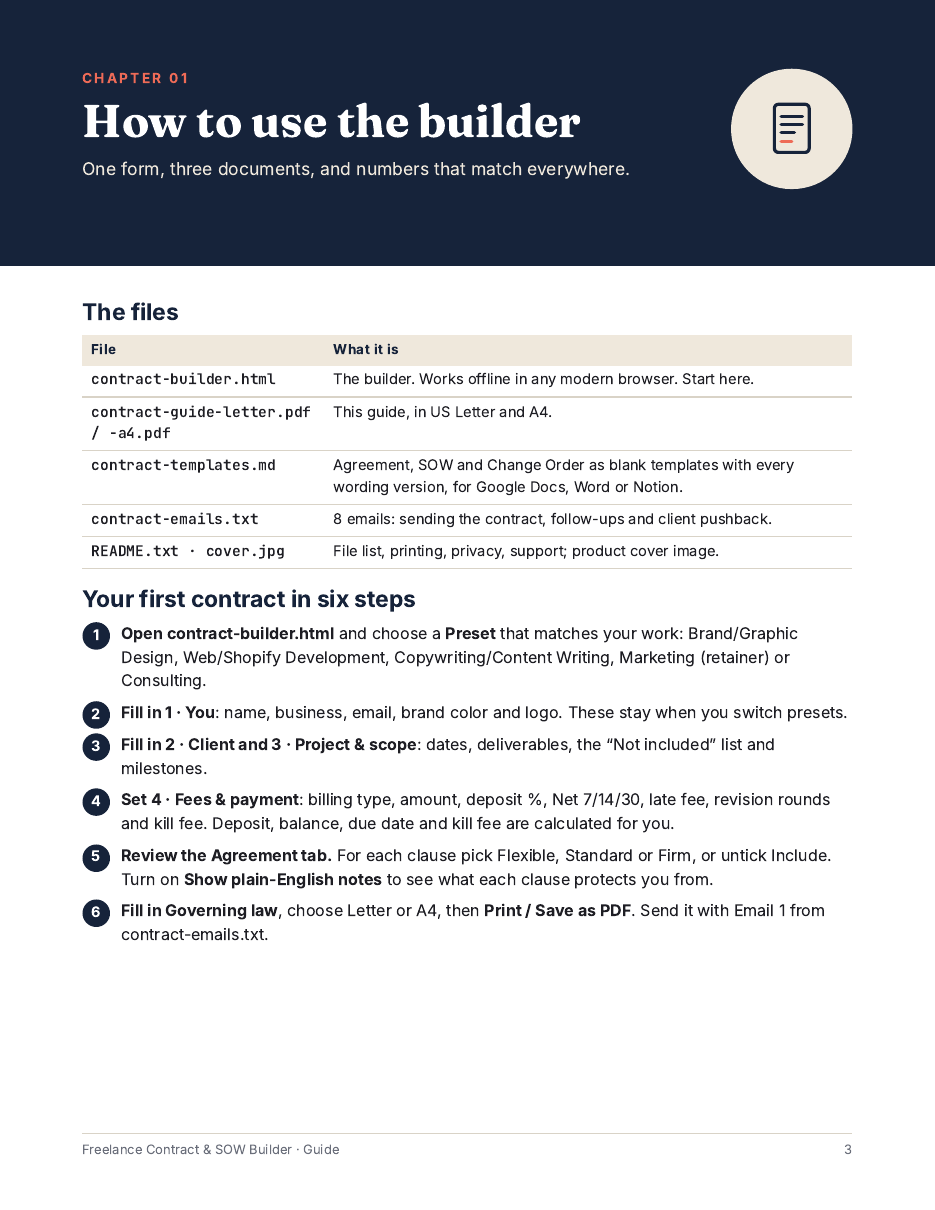
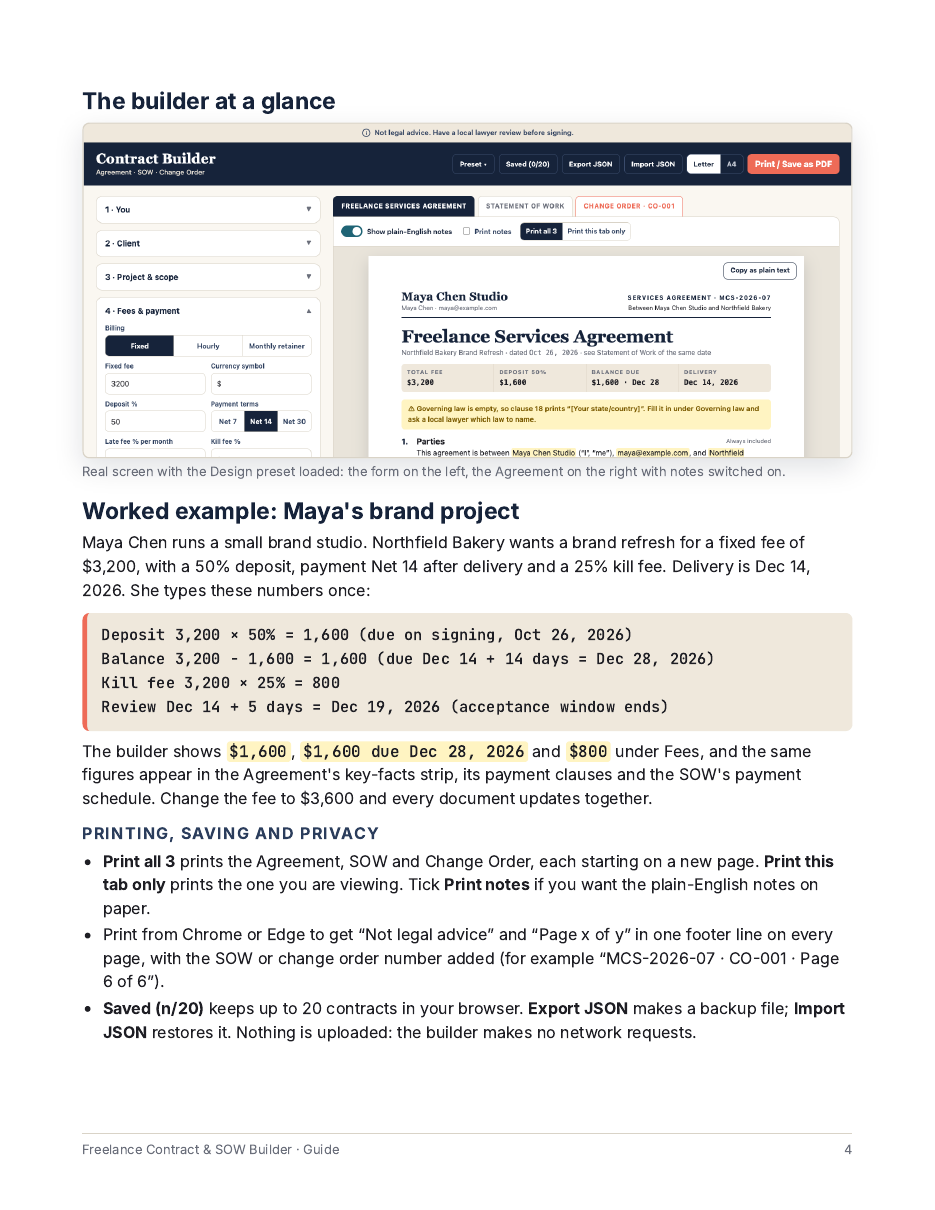
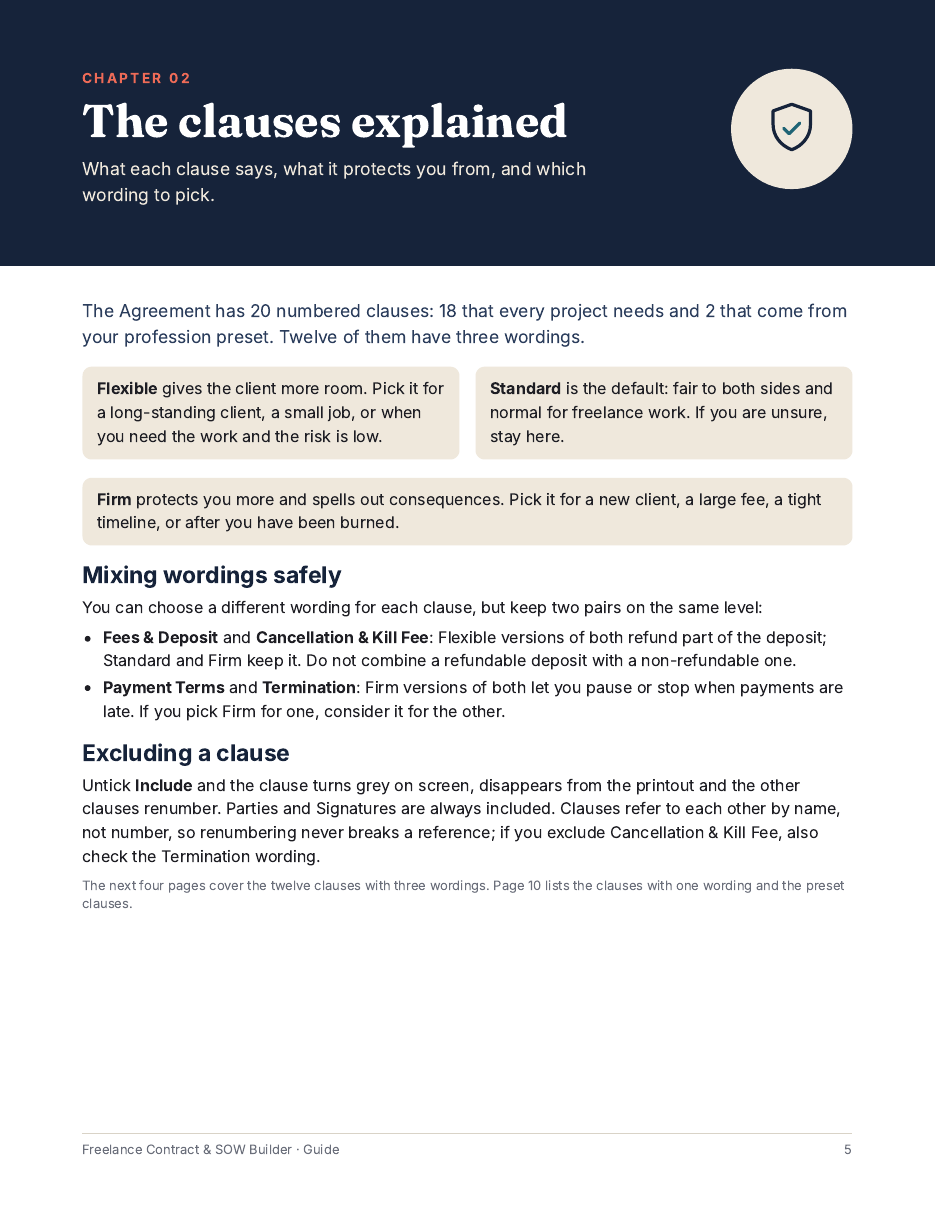
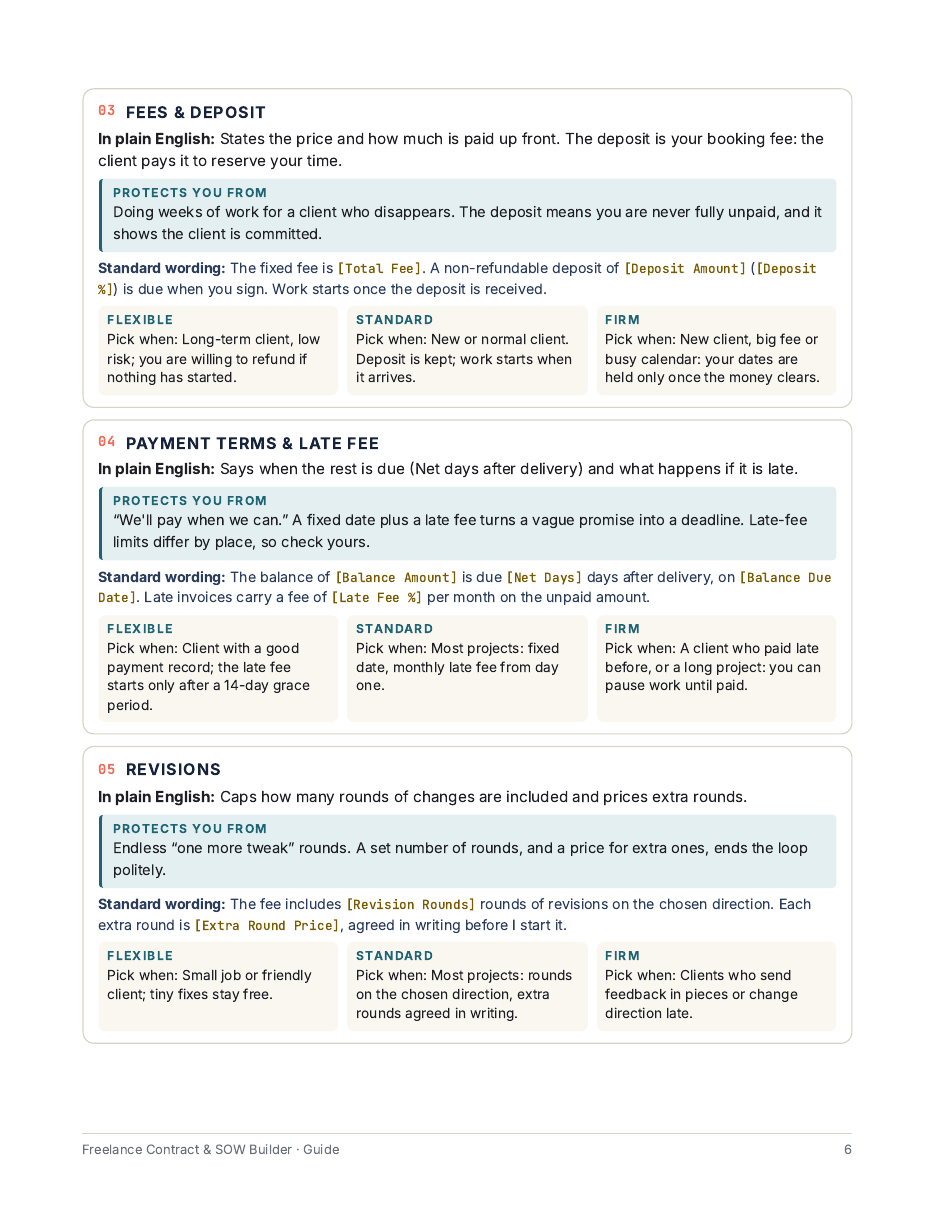
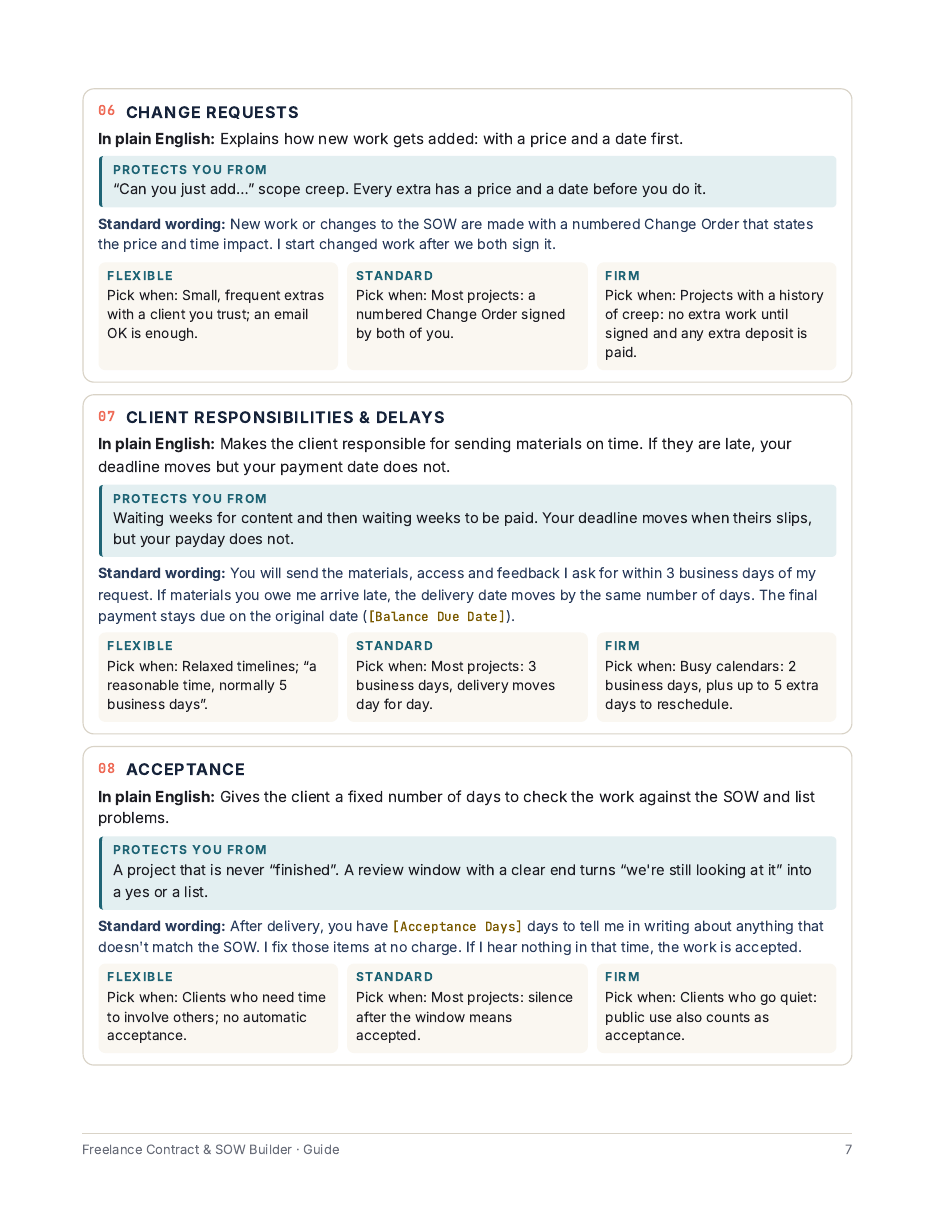
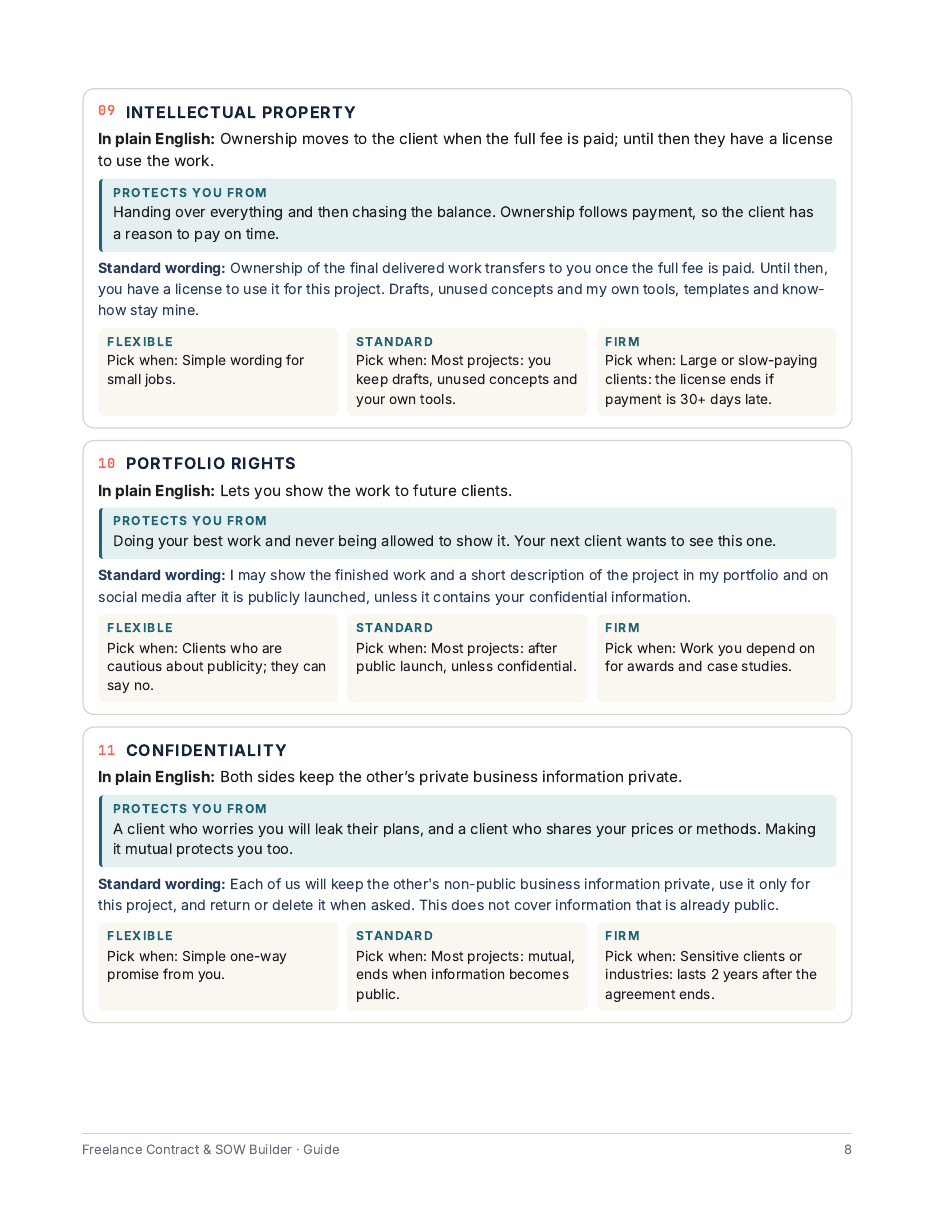
3. Word for word from guide Chapter 5, "When the client pushes back" (3 of the 6 objections):
Client: "Can we skip the deposit? We always pay on completion."
Your reply: I ask every client for a deposit because it reserves your start date and my time. I can do 30% instead of 50% if that helps your cash flow, with the balance on the same date.
Why it works: it explains the deposit as a booking, not a lack of trust, and offers a smaller number instead of zero.
Client: "Our standard payment terms are Net 60."
Your reply: I understand larger teams work that way. As a small business I invoice Net 14. If Net 60 is fixed on your side, I can accept Net 30 with a 50% deposit, or Net 60 with the price adjusted to cover the wait.
Why it works: you give two concrete options, and both protect your cash flow.
Client: "Please remove the kill fee. We won't cancel."
Your reply: Then the clause will never cost you anything. It is there because I turn down other work to hold your dates. I can lower it from 25% to 15% if that makes it easier to sign.
Why it works: the client's own confidence becomes the reason the clause is harmless.
4. Word for word from guide Chapter 6, "12 red-flag clauses" (what to look for when the client sends their own contract; 4 of the 12):
| Red flag (their wording) | Ask for this instead |
|---|---|
| "Payment is due 60 days after the client approves the invoice." | A fixed number of days after delivery (Net 14 or 30), not after an approval that may never come. |
| "The client may terminate this agreement at any time without further payment." | Payment for work done plus a kill fee if they cancel for convenience. |
| "All rights in the work transfer to the client upon creation." | Ownership transfers when the full fee is paid; a license to use the work until then. |
| "The contractor will make revisions until the client is fully satisfied." | A set number of rounds and a price for extra rounds. |
5. Word for word from contract-emails.txt (Email 1 of 8):
Subject: Contract and Statement of Work for [Project Name]
Hi [Client First Name],
Thanks again for choosing me for [Project Name]. Attached are two short documents:
1. The Freelance Services Agreement ([Agreement Ref]): how we work together, payment, revisions and ownership.
2. The Statement of Work: exactly what you get, what is not included, the dates and the payment schedule.
The key numbers:
- Total fee: [Total Fee]
- Deposit: [Deposit Amount], due when you sign
- Balance: [Balance Amount], due [Net Days] days after delivery, on [Balance Due Date]
- Delivery: [Delivery Date]
If everything looks right, please sign and return both by [Sign By Date], and I'll send the deposit invoice. Your start date of [Start Date] is reserved once the deposit arrives.
Happy to walk through any clause on a quick call.
Best,
[Your Name]
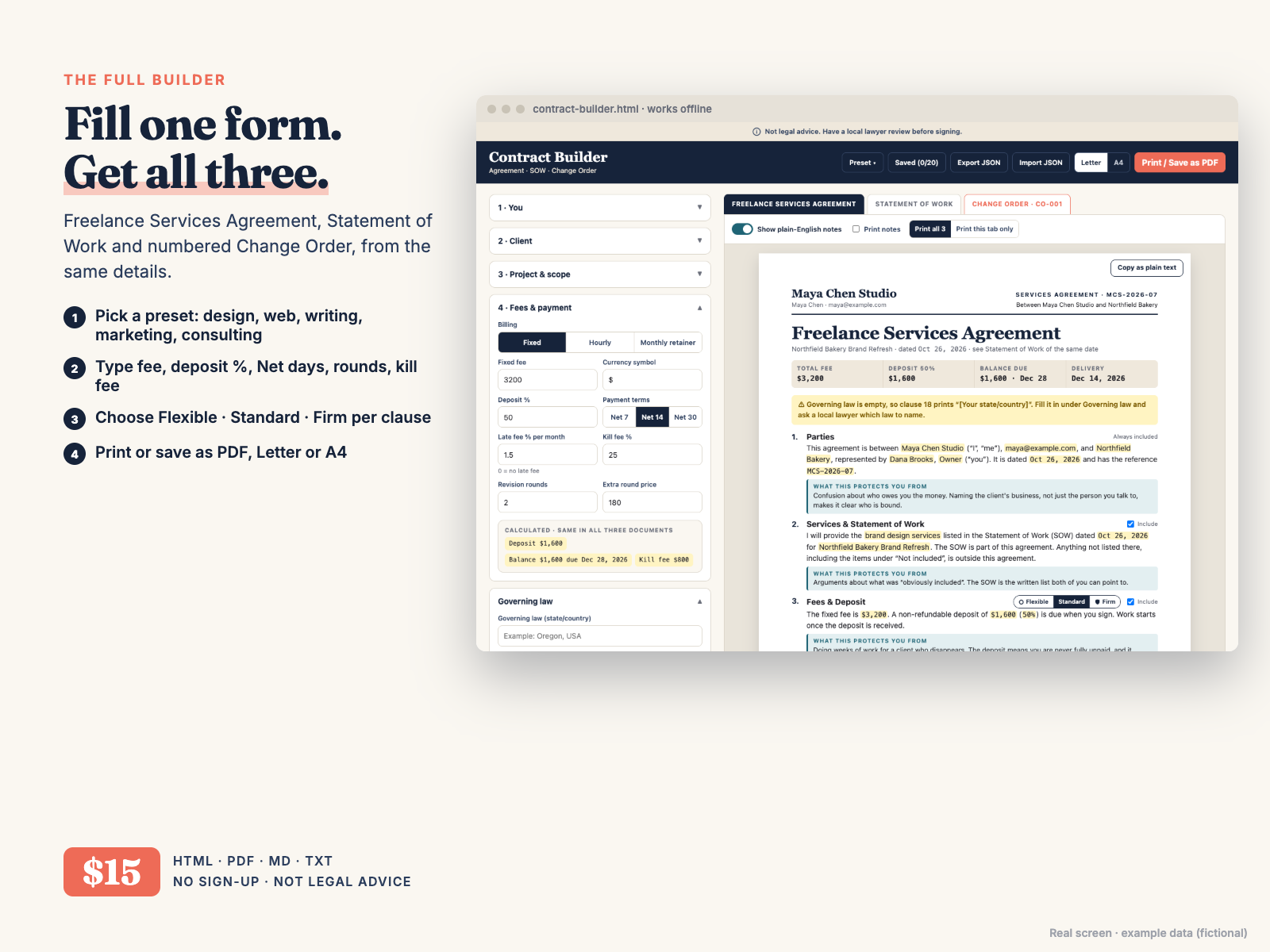
Most freelance contract templates are a static document: you retype names, prices and dates every time, and the contract, the scope and the change order slowly stop agreeing with each other. This builder works the other way round.
Open contract-builder.html in your browser, pick a preset and fill in four short cards: you, your client, the project and the fees. The builder writes three documents from those details:
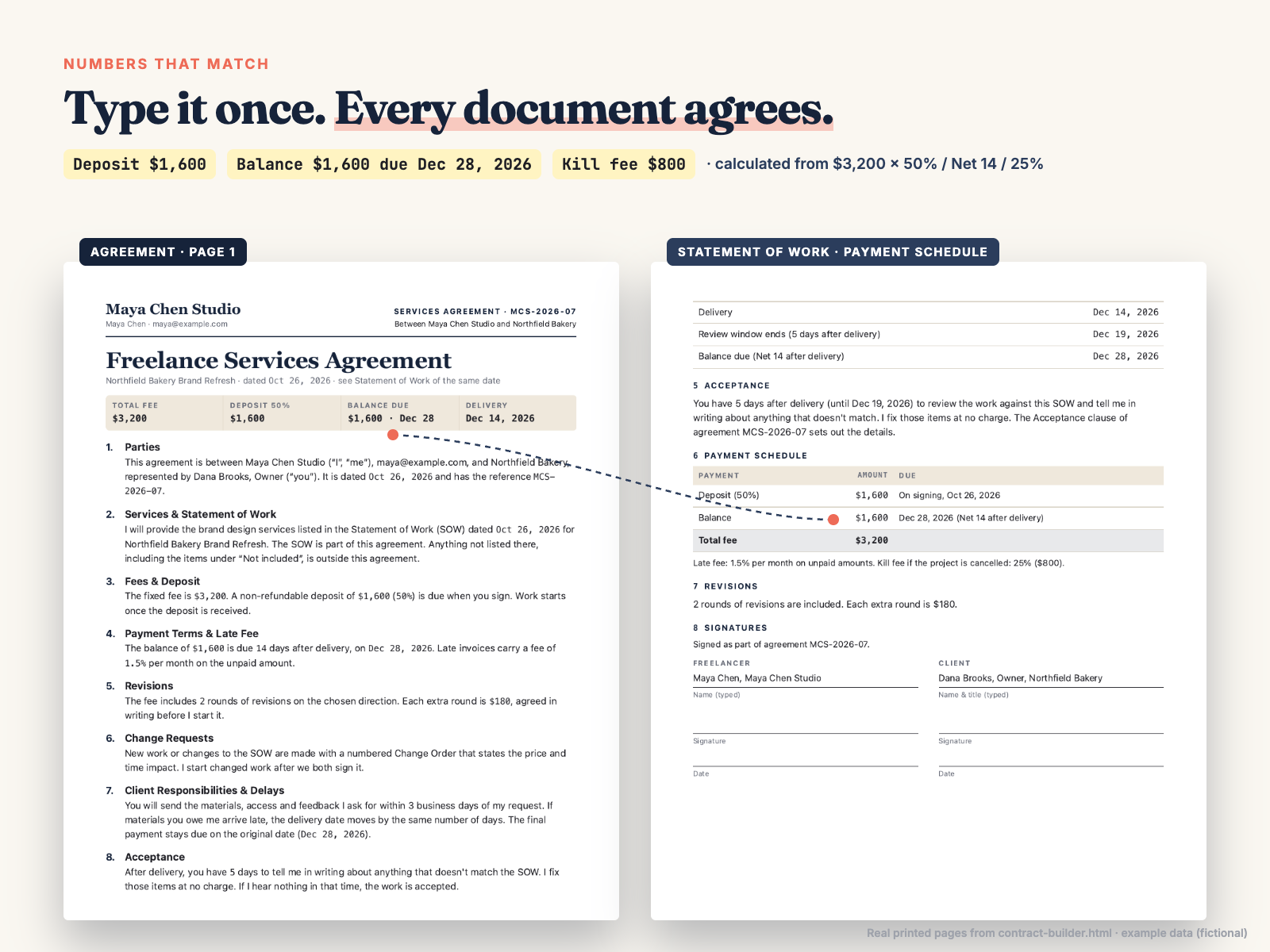
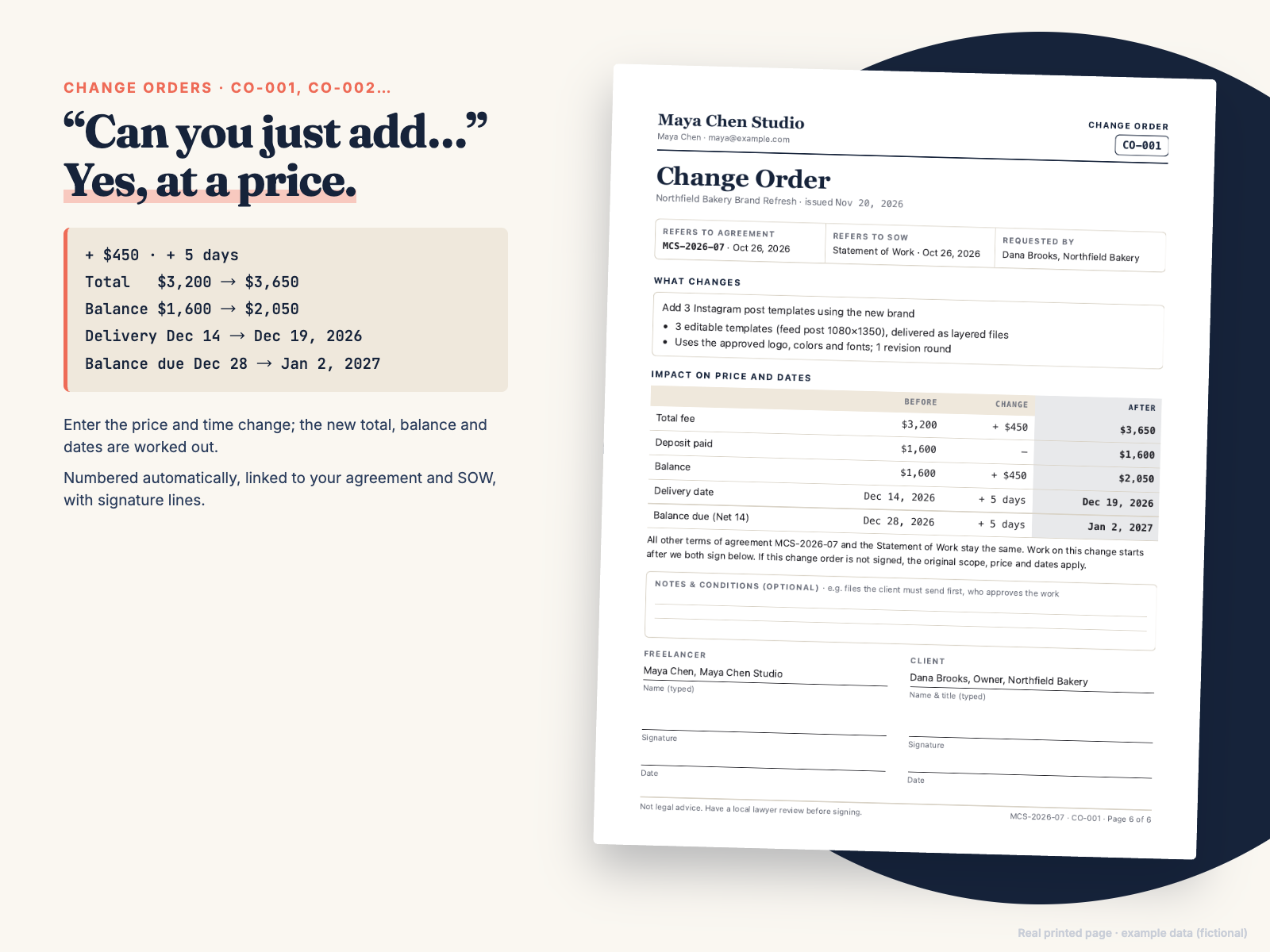
The numbers are calculated, not retyped. In the example preset, a $3,200 fixed fee with a 50% deposit, Net 14 and a 25% kill fee gives a $1,600 deposit, a $1,600 balance due Dec 28, 2026 and an $800 kill fee, and those figures appear identically in the Agreement and the SOW. A change order for +$450 and +5 days moves the total to $3,650 and the balance due date to Jan 2, 2027.
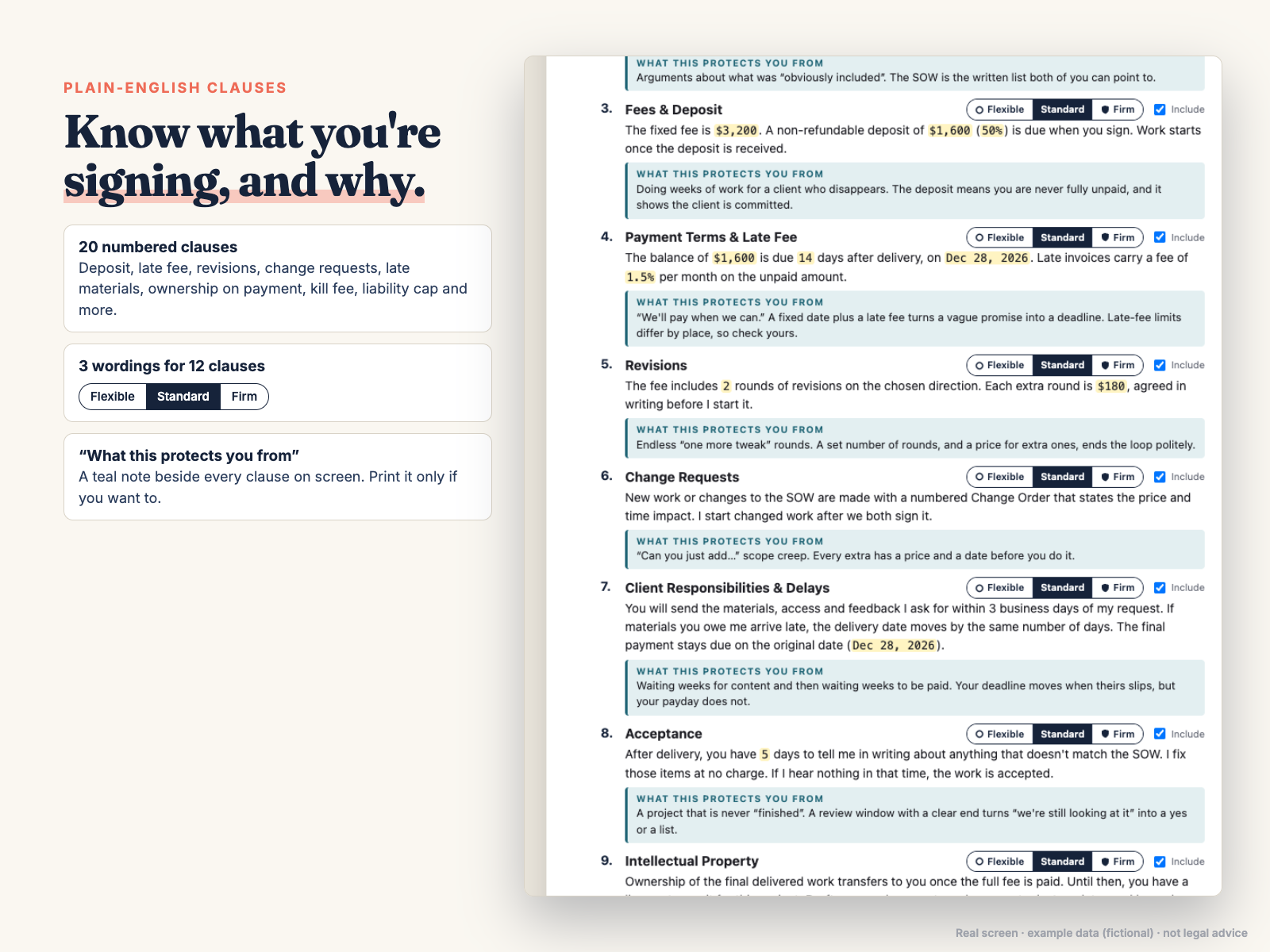
Each of 12 clauses has three wordings. Flexible gives the client more room, Standard is the fair default, Firm spells out consequences for late payment or late materials. Turn on "Show plain-English notes" to see what each clause protects you from.
You can add your logo and brand color, switch between US Letter and A4, print all three documents (each starts on a new page) or just one, copy any document as plain text, save up to 20 contracts in your browser and back them up with Export / Import JSON. It works offline in any modern browser; print footer page numbers appear in Chrome/Edge. Nothing is uploaded.
Honest note: this is not legal advice, and it was not written by a lawyer. It gives you a clear, organized starting point and explains each clause. Contract rules differ by place, so have a local lawyer review your agreement before you rely on it. Chapter 7 of the guide lists what to ask. All people and businesses in the examples are fictional.
Why pay when free contract apps exist? Free tools such as Bonsai ask you to create an account and keep your client details on their service. This builder is a single file you own: one $15 payment, no sign-up, no subscription, it runs offline, and the numbers are linked across all three documents, so a changed fee or change order never leaves one document out of date.
Is this legal advice? Was it written by a lawyer?
No to both. It is a well-organized starting point with plain-English explanations. Have a local lawyer review your standard version before you rely on it.
Can I edit the clause wording?
In the builder you choose between Flexible, Standard and Firm wording and include or exclude clauses; the clause text itself is fixed. For your own wording, use contract-templates.md in Google Docs, Word or Notion.
Does it work on my computer?
It is a single HTML file that works offline in any modern browser. "Page x of y" print footers appear in Chrome/Edge. It is easiest to use on a laptop or desktop.
Where is my data stored? What if I clear my browser?
Only in your browser's local storage. The builder makes no network requests. Clearing browser data deletes saved contracts, so use Export JSON to keep a backup file, and Import JSON to restore it or move it to another computer. Contracts you printed or saved as PDF are unaffected.
Can I use it outside the US?
Yes. Choose US Letter or A4 paper, and type your own state or country under Governing law (the builder prints "[Your state/country]" and shows a yellow warning until you do). Dates print in the "Dec 28, 2026" style. Contract rules differ by country, so Chapter 7 of the guide lists what to check with a local lawyer.
Which currencies does it support?
Any. Type your currency symbol (for example €, £, A$ or CHF) in the Currency symbol field; it appears before every amount in all three documents. Amounts use a comma for thousands and a point for cents (€1,600.50).
Free tools like Bonsai can do contracts. Why buy this?
Bonsai and similar apps need an account and store your data on their service. This is a one-time $15 file: no sign-up, no subscription, works offline, nothing uploaded, and deposit, balance, dates and change-order totals stay linked across the agreement, SOW and change order.
How do I get updates?
Your download is the current version. If we fix or improve the files, email chenphien@gmail.com and we will send you the latest version free. Use Export JSON before replacing the file and Import JSON afterwards to keep your saved contracts.
Does it work on my phone?
It opens in a phone browser and the form stacks into one column, but it is designed for a laptop or desktop, where the form and the document preview sit side by side and printing to PDF is easier.
Who is Hustle Studio, and how do I get the files?
Hustle Studio is a small independent shop making offline templates and tools for freelancers. Checkout runs through Waffo Pancake, our merchant of record, which handles payment and tax and sends your receipt. Right after payment you are sent to a download page with the ZIP and a link for each file. Bookmark it to download again later.
Can I get a refund?
Yes. Our refund policy: if the files don't work for you, email chenphien@gmail.com within 14 days of purchase for a full refund, no questions asked. We reply within 2 business days. See Terms.
$15.00 USD, one-time
Buy now: $15Secure checkout by Waffo Pancake (merchant of record), receipt by email. 14-day full refund.